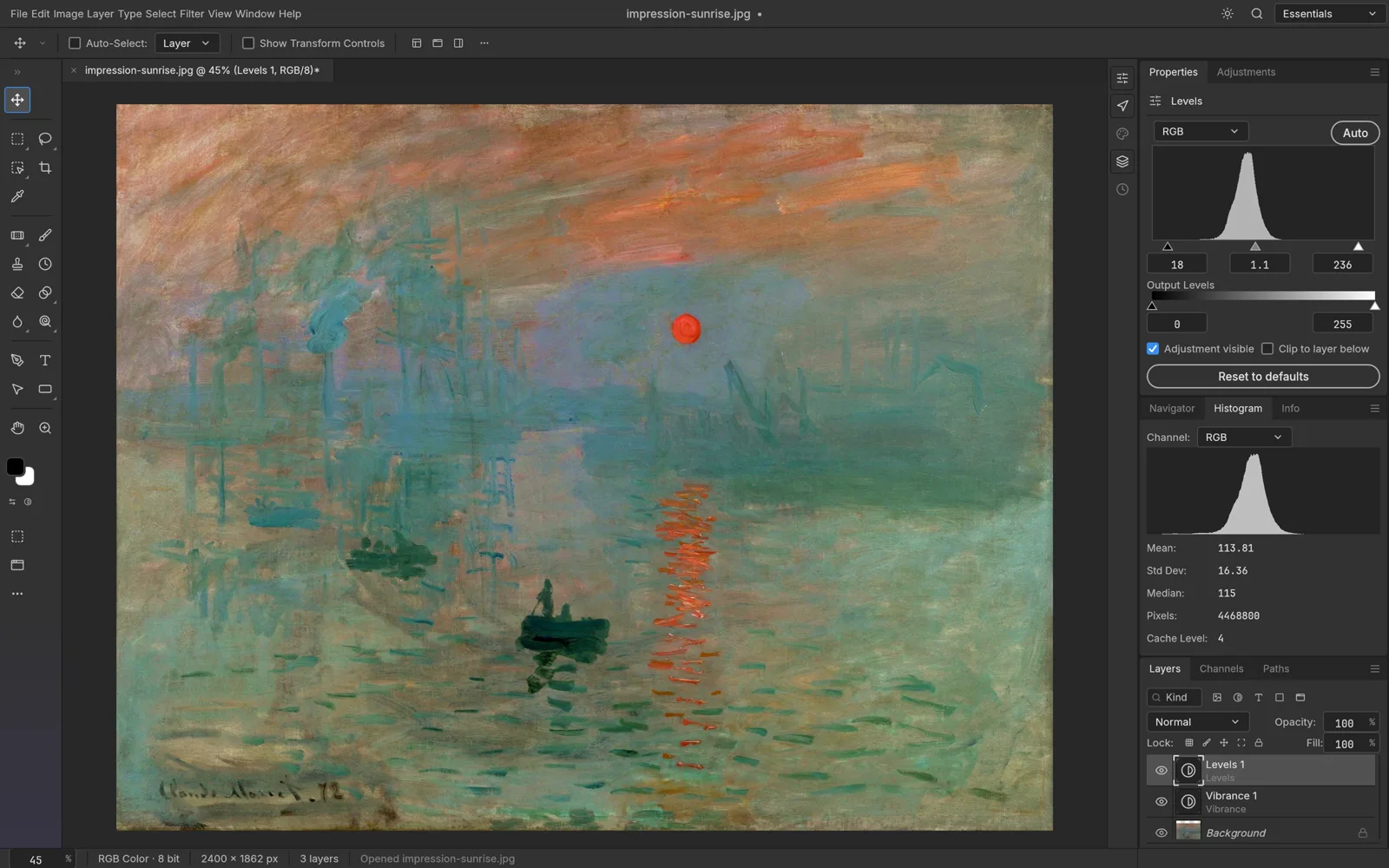
Menus and shortcuts you already know
Photoshop-style menus, panels, tools and keyboard shortcuts sit where your hands expect them, so there is very little to relearn.
PhotoCraft Online puts the open-source, Photoshop-style editor from the ArtCraft team in a browser tab: layers, masks, adjustment layers and real PSD files, with nothing to install.
Online vs desktop
Same editor, two ways to run it. Use PhotoCraft Online for quick edits on any computer; install the official desktop app when you want to work offline.
| PhotoCraft Online (here) | PhotoCraft desktop (official) |
|---|---|
| Install | |
| Nothing to install. It opens in a browser tab. | Download the installer from getartcraft.com. |
| Account | |
| Not needed to edit. | Not needed. |
| Where files live | |
| On your device. Open from disk, then save or export back to it; nothing is uploaded. | On your computer's disk. |
| Platforms | |
| Any computer with a current browser that supports WebGPU or WebGL2. | macOS, Windows, Linux and FreeBSD. |
| Offline use | |
| Needs a connection to load. | Works fully offline. |
| Updates | |
| Nothing to update. We host the official web build and update it after new releases. | Install the new version, or update through the ArtCraft Launcher. |
| AI tools | |
| On-device smart selection, plus optional AI tools on AI PS Online: background removal, object removal, AI edits and upscaling (free account, uses credits). | On-device smart selection. No generative AI tools yet. |
Features
PhotoCraft is still in early alpha, but the core of a layered image editor is already here. The web build runs the same engine as the desktop app, so all of this works in PhotoCraft Online too.
Photoshop-style menus, panels, tools and keyboard shortcuts sit where your hands expect them, so there is very little to relearn.
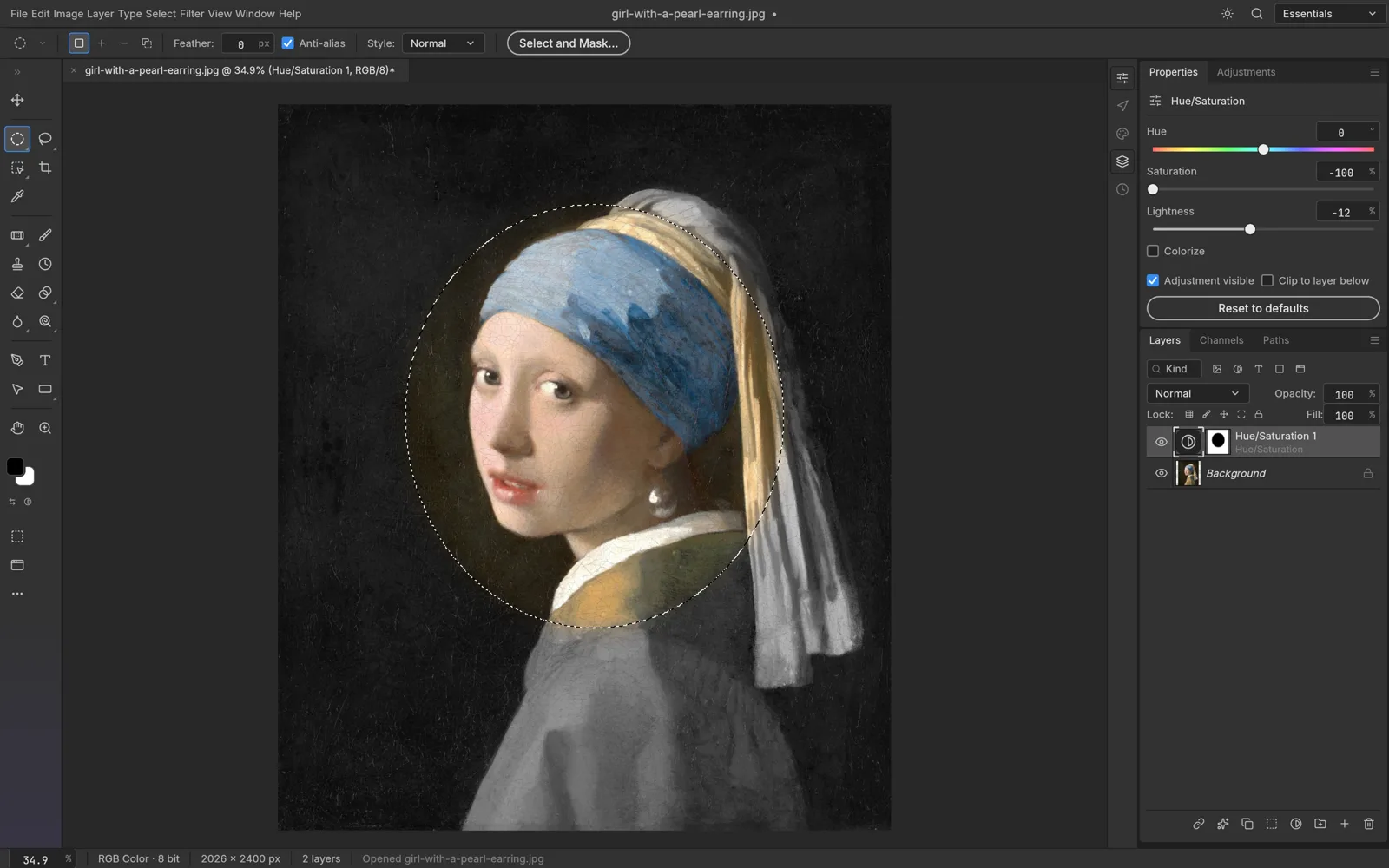
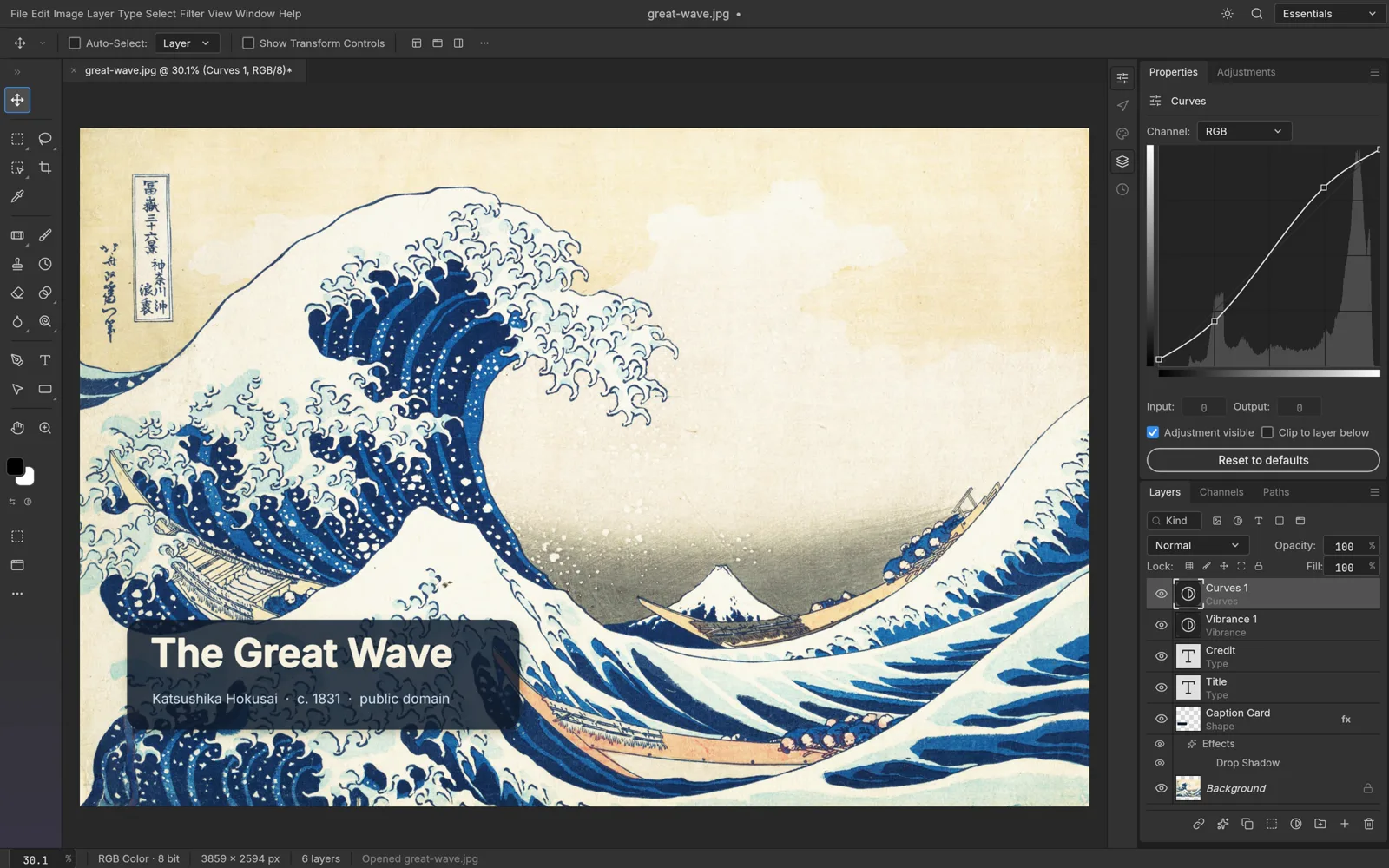
Stack layers and groups, paint masks, and grade with 16 adjustment layers such as Curves, Levels and Hue/Saturation. Edits stay live, and your original pixels never change.
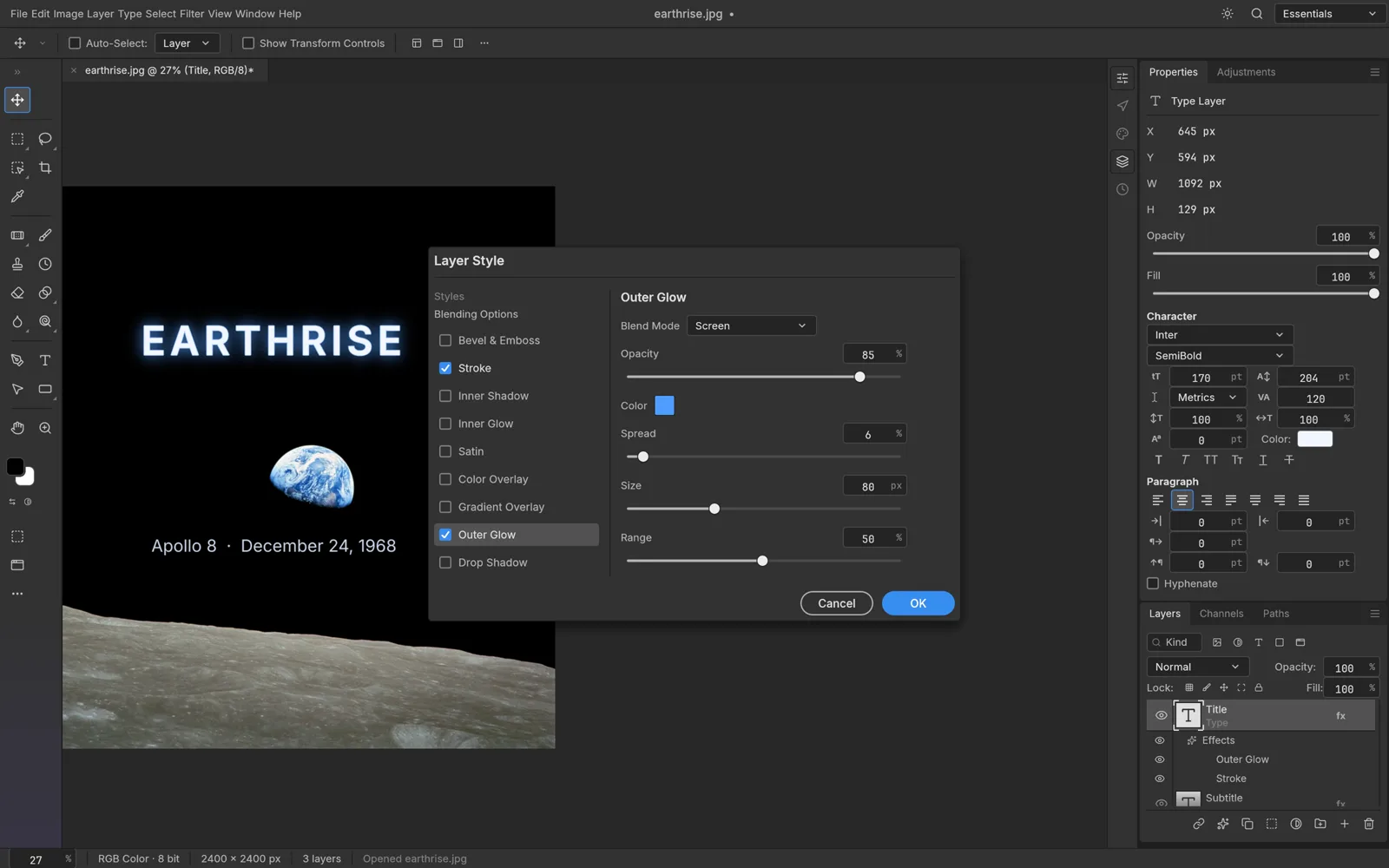
Open layered Photoshop documents, edit them and save them back as PSD or PSB. Type layers and layer styles come through, and data PhotoCraft doesn't model yet is carried over instead of dropped.
More than 70 filters preview live on the canvas. Run them on a smart object and they stay editable, and add shadows, glows, strokes and overlays as live layer styles.
Work in 8, 16 or 32-bit documents in RGB, CMYK, Lab or Grayscale, with ICC color management and soft proofing for print.
Select Subject, Object Selection and Quick Selection do the tracing, and Select and Mask refines hair-fine edges. It all runs locally, with no cloud and no account.
Only on AI PS Online
PhotoCraft is built for hands-on editing. Next to PhotoCraft Online, AI PS Online adds AI tools for the tedious steps: run one, download the result, then open it in PhotoCraft to finish by hand.
 BeforeAfter AI
AI tools need a free account and use credits. The cost is shown before each run, and failed runs are refunded. PhotoCraft Online itself never uses credits. See plans
How it works
Open PhotoCraft Online
Click Open PhotoCraft Online and the editor opens right here, with the site menu still at hand. The first start downloads the app, so give it a moment on a slow connection.
Edit with layers
In PhotoCraft Online, use File › Open to pick a PSD, JPEG, PNG or other image from your device, then work with layers, masks, adjustment layers and filters.
Save a PSD or export
Save as PSD to keep every layer, or use Export As for a PNG, JPEG or WebP. Files download straight to your device.
There's no cloud autosave and no crash recovery in the browser version. Save a PSD or export before you close or reload the tab.
File formats
PhotoCraft Online handles the formats listed in the official PhotoCraft documentation. Layered formats keep your layers; flat formats are for sharing.
| Format | In PhotoCraft Online |
|---|---|
| PSD, PSBPhotoshop documents; PSB for very large files | Open and save, with layers |
| TIFFIncluding layered TIFF from Photoshop | Open and save |
| OpenRaster (.ora)Layered files from Krita, MyPaint and GIMP | Open and save, with layers |
| PNG, JPEG, WebPEveryday photos and web images | Open and export |
| GIF, BMP, TGA, ICO, QOIOther flat image formats | Open and export |
| OpenEXR, Radiance HDRHigh-dynamic-range images | Open and export |
| SVGVector graphics | Opens as editable shape layers |
| HEICPhotos from iPhone and Mac | Open only |
Flat formats such as JPEG and WebP can't hold layers, so keep a PSD if you plan to edit again. Official format details
FAQ
It's the official PhotoCraft web build, unmodified: the same files as the WebAssembly release on GitHub (currently version 0.7.0). AI PS Online hosts it, but we're not the PhotoCraft team and we're not affiliated with or endorsed by ArtCraft. The official site, getartcraft.com, offers desktop downloads and doesn't run a hosted online version.
Yes. PhotoCraft is free, open-source software (MIT or Apache-2.0), and PhotoCraft Online is free to use here without an account. Only the optional AI tools on AI PS Online use credits.
No. PhotoCraft Online runs inside your browser tab, so there's nothing to install. The first start loads the editor's files, which can take a moment on a slow connection.
No. In PhotoCraft Online, the editor and all image processing run on your device: Open uses your browser's file picker, and Save and Export download files back to your computer. The AI tools are separate; an image you run through one of them is uploaded for processing.
Yes. PhotoCraft Online opens layered PSD and PSB files, including type layers and layer styles, and saves them back as PSD. It's early alpha software and not every file round-trips perfectly yet, so keep a copy of important originals.
PhotoCraft Online needs a connection to load, and the browser version has no autosave or crash recovery. Save a PSD or export before you close or reload the tab. To work offline, install the official desktop app.
PhotoCraft Online works in any current browser with WebGPU or WebGL2, which covers recent Chrome, Edge, Firefox and Safari. PhotoCraft is laid out for desktop screens, so a laptop or desktop computer works best.
It's the same editor, packaged differently. The desktop app installs from getartcraft.com, works offline and runs natively on macOS, Windows, Linux and FreeBSD. PhotoCraft Online needs no install, runs on any computer with a modern browser, and on AI PS Online sits next to optional AI tools.
Guides
A review, two comparisons and a hands-on guide.