
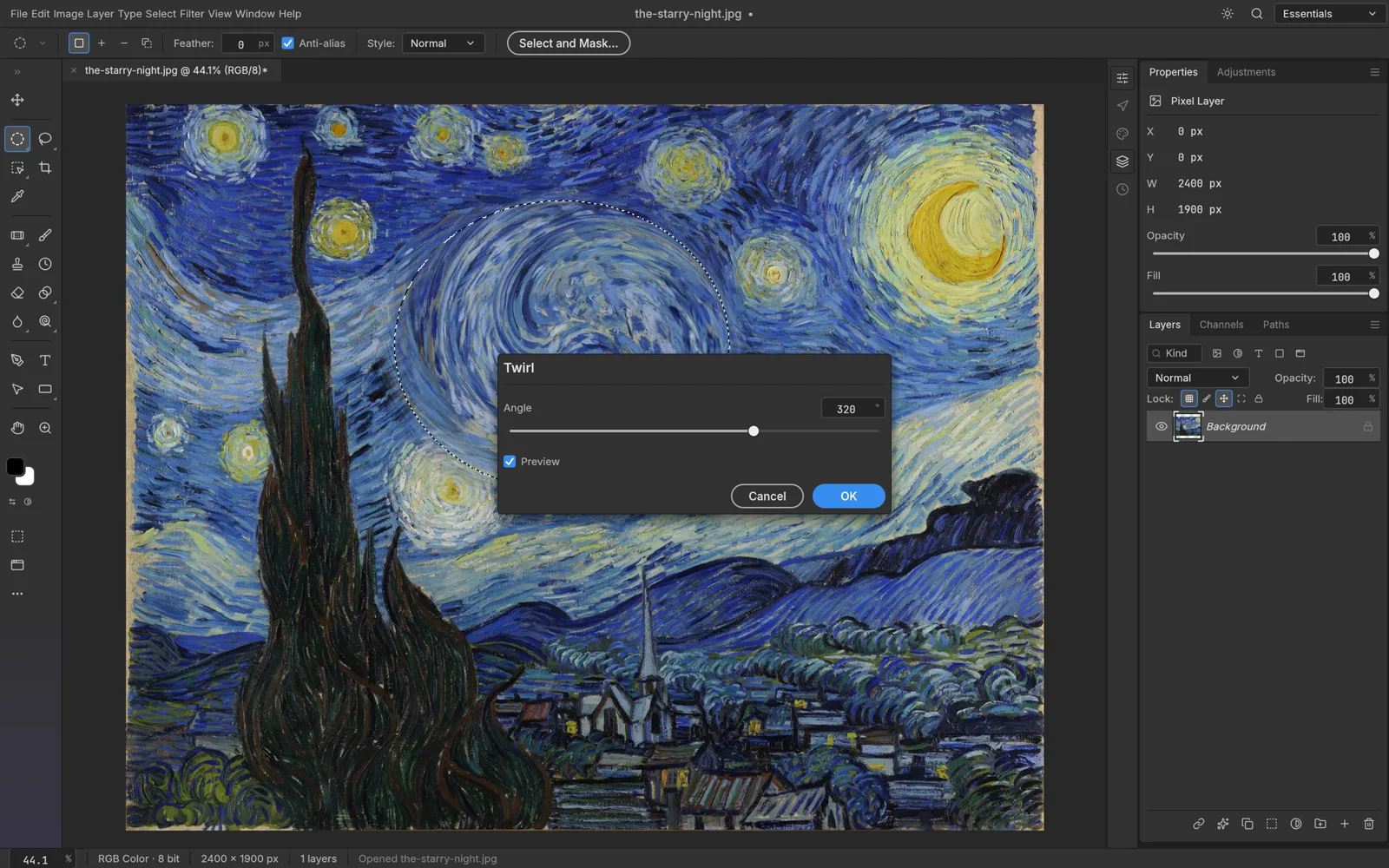
PhotoCraft vs GIMP is a new question in an old category. For years, GIMP has been the usual answer when someone asks for a free photo editor with real layers. In October 2026, PhotoCraft arrived as another free, open-source option, but one that copies Photoshop's layout instead of having its own. Both cost nothing. They make very different trade-offs.
This PhotoCraft vs GIMP comparison covers what matters when you choose: interface, PSD files, non-destructive editing, color, plugins, maturity and where they run. The facts come from gimp.org, the official PhotoCraft page and the PhotoCraft README on GitHub.
A disclosure first: PhotoCraft is made by the ArtCraft team. AI PS Online hosts the unmodified open-source PhotoCraft web build and is not affiliated with ArtCraft, the GIMP project or Adobe. Photoshop is a trademark of Adobe Inc.
PhotoCraft vs GIMP at a glance
| PhotoCraft | GIMP | |
|---|---|---|
| Made by | The ArtCraft team | GIMP's community of developers and contributors |
| License | MIT or Apache-2.0, free | GNU General Public License, free |
| Status | Early alpha (0.7.0, October 2026) | Mature; stable release 3.2.6 (September 2026) |
| Interface | Mirrors Photoshop's menus, panels and shortcuts | Its own layout, tool names and conventions |
| Main file formats | Layered PSD and PSB, plus its own .pcraft format | XCF natively; imports and exports PSD and PSB |
| Non-destructive editing | Adjustment layers, smart objects with smart filters, layer styles | Non-destructive filters (3.0); link, vector and text layers (3.2) |
| Color | RGB, CMYK, Lab and Grayscale at 8, 16 or 32-bit | RGB color spaces beyond sRGB; CMYK import, export and soft proofing |
| Extensions | Plug-in compatibility is a listed gap; CLI and MCP server for automation | Plug-ins and scripts in C, Python 3, Script-Fu and more |
| Platforms | macOS, Windows, Linux, FreeBSD and a web build | Linux, macOS and Windows, plus BSD and Solaris |
| In a browser | Yes, through the official WebAssembly build | No browser version on gimp.org |
Interface: Photoshop habits or GIMP's own way
This is the clearest difference in PhotoCraft vs GIMP, and the one most likely to decide it for you.
PhotoCraft deliberately mirrors Photoshop. Menus, panels, tool names and shortcuts sit where Photoshop users expect them, so if you learned on Photoshop you can start without retraining. If you never learned Photoshop, that familiarity is worth less to you.
GIMP has its own conventions, built up over decades. Its menus, tool names and terms differ from Photoshop's, so Photoshop users need to relearn some habits. GIMP 3 has smoothed several old friction points: pasting now creates a new layer by default instead of the "floating selection" many users found confusing, you can select several layers with standard shortcuts, and pressing the slash key searches every action and shows where it lives in the menus.
If you have been looking for a GIMP alternative because its interface never clicked, especially coming from Photoshop, PhotoCraft is aimed at you. If you already know GIMP well, its layout is not a problem you need to solve.
 PhotoCraft, from its open-source repository (Apache-2.0).
PSD files
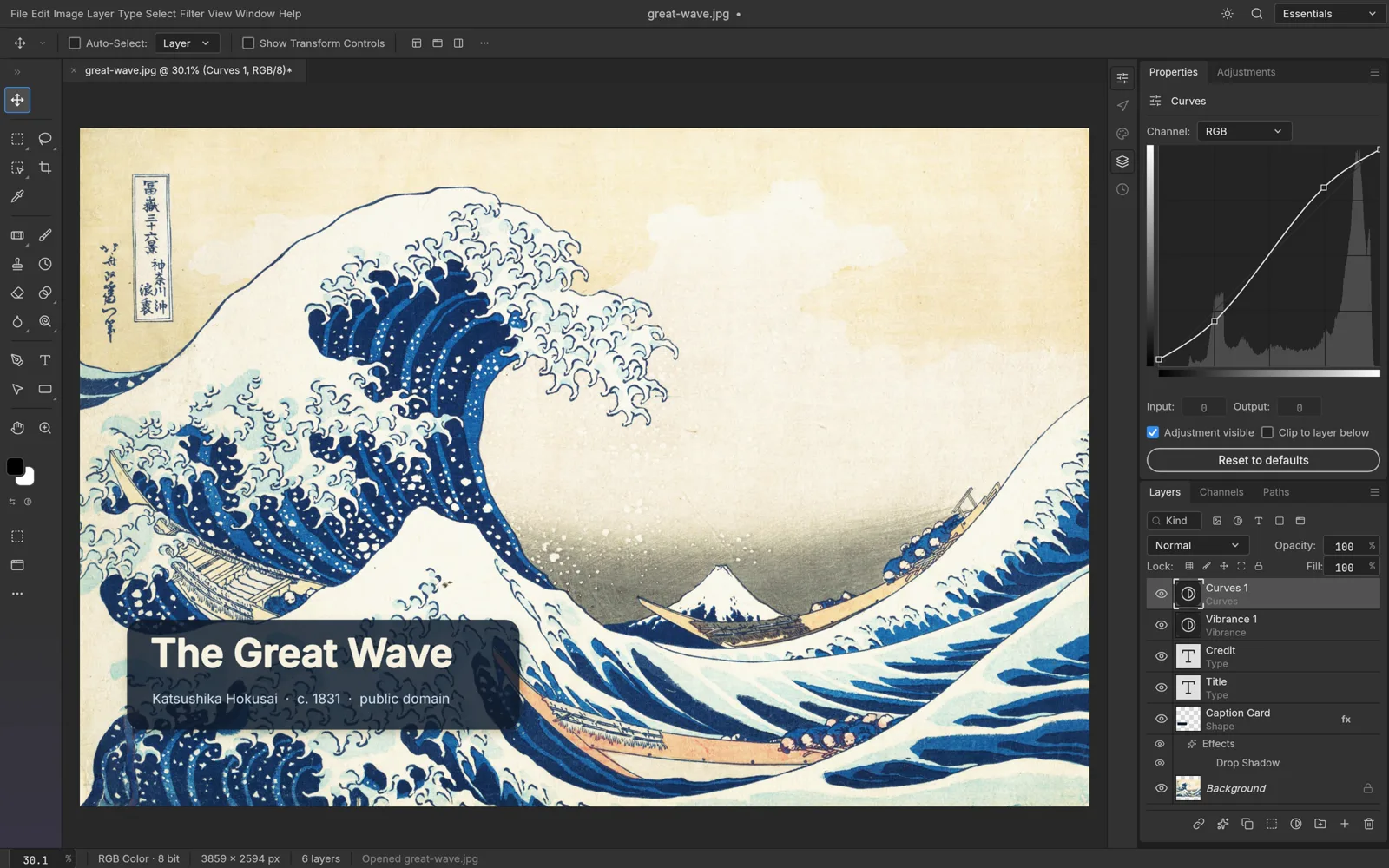
PhotoCraft treats PSD as a first-class format. It opens and saves layered PSD and PSB documents with layers, masks, adjustment layers, type and layer styles kept editable, and the official page says 134 of 135 real-world test files round-trip.
GIMP's own format is XCF, and PSD is an import and export format, one it keeps improving. GIMP 3.0 improved PSD compatibility and added an export dialog with options for clipping paths, CMYK profiles and metadata. GIMP 3.2 added PSB export, imports more layer styles such as Drop Shadow, Inner Shadow and Outer Glow, and can load Photoshop Curves and Levels presets and pattern files.
In practice, if PSDs from Photoshop users are a regular part of your work, PhotoCraft is built around them; GIMP opens many PSDs fine but is designed around XCF. With either, keep the original. The two can also swap layered files: PhotoCraft's README lists OpenRaster read and write support for working with Krita, MyPaint and GIMP.
 PhotoCraft, from its open-source repository (Apache-2.0).
Non-destructive editing
Both editors now let you change your mind later, but they get there differently.
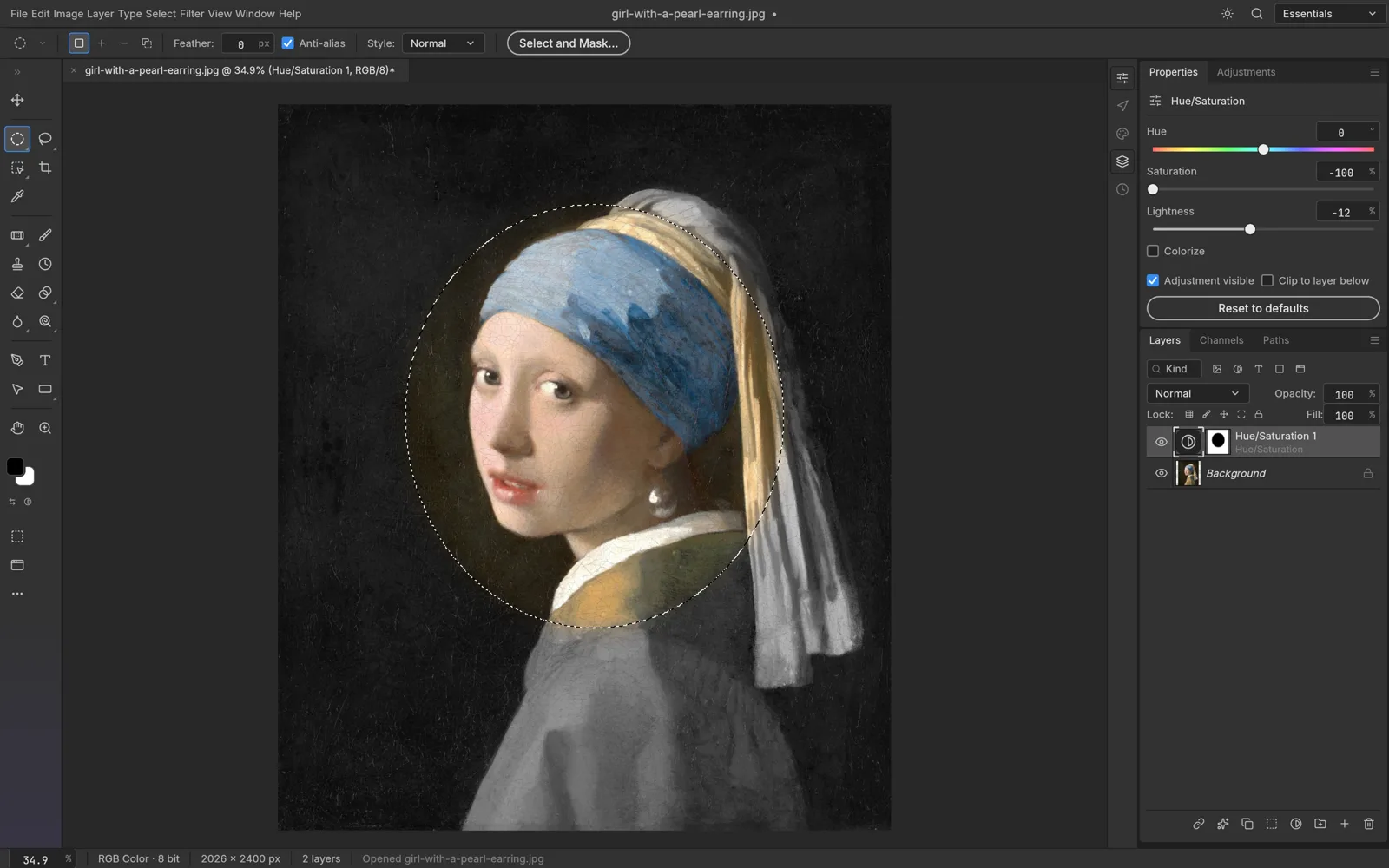
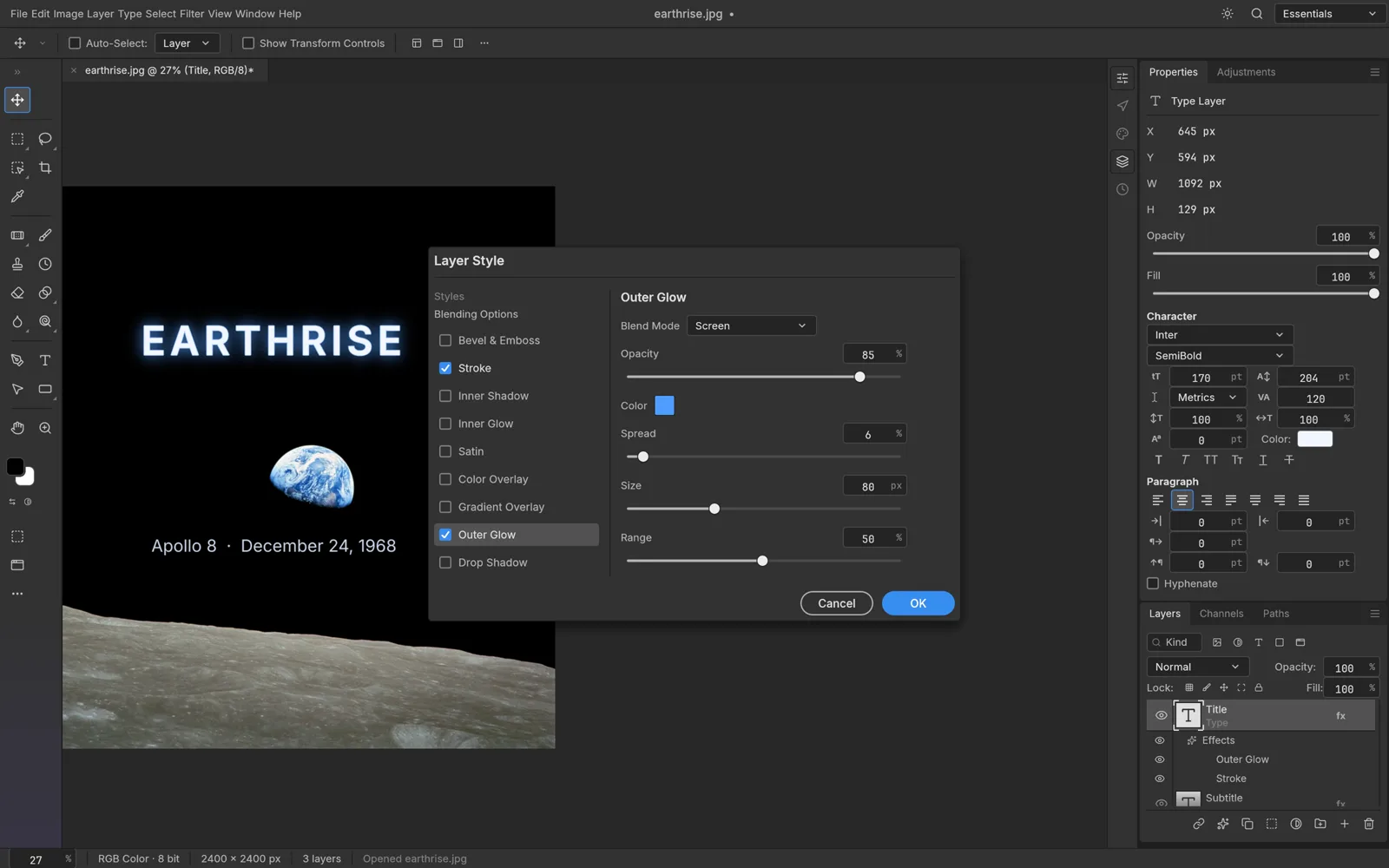
PhotoCraft uses the Photoshop model: 16 adjustment layers you can mask, reorder and switch off, smart objects whose smart filters stay editable, 70+ filters with live preview, and a Layer Style dialog with shadows, glows, strokes, bevels and overlays.
GIMP added non-destructive editing in steps. GIMP 3.0 made filters non-destructive by default: an applied filter stays editable, and you can toggle it, delete it or merge it later, with filters saved in the XCF file. GIMP 3.2 added link layers (similar to Photoshop's linked smart objects), vector layers and non-destructive filters on channels. GIMP has no dedicated adjustment layers, but its 3.2 release notes show how to recreate that workflow: a filter on an empty layer group set to Pass through affects every layer below it. For layer-effect looks, GIMP offers the GEGL Styles filter and non-destructive text outlines.
Color
PhotoCraft supports RGB, CMYK, Lab and Grayscale documents at 8, 16 and 32 bits per channel, with ICC color management and soft proofing.
GIMP 3.0 extended support for RGB color spaces beyond sRGB, so a profile such as AdobeRGB is kept while you edit, and gathered the soft-proofing controls in the status bar. It imports and exports CMYK JPEG, TIFF, PSD and JPEG XL files, and GIMP 3.2 shows total ink coverage in the CMYK color selector. Its 3.0 release notes describe native CMYK and Lab image modes as future work.
Maturity, plugins and community
GIMP's history goes back to the 1990s: version 0.54 came out in 1996 and 1.0 in 1998. GIMP 3.0 arrived in 2025 after seven years of development, 3.2 followed about a year later, and the current stable release is 3.2.6 from September 2026. It is available in 86 languages.
GIMP is also extensible. Plug-ins and scripts can be written in C, Python 3, Script-Fu and other languages, and third-party GEGL filters appear in its menus. GIMP 3.0 broke compatibility with 2.10 plug-ins, but the API is stable across 3.x, and popular add-ons such as G'MIC and Resynthesizer have been ported.
PhotoCraft is an early alpha; version 0.7.0 was published on October 11, 2026. Its README says it is not yet a Photoshop replacement for daily professional work and names the biggest gaps: AI features, missing tools, depth in typography and pro workflows, and plug-in compatibility. It does have automation built in: Actions you can record and replay, a command-line tool that batch-processes folders, and an MCP server so AI agents can drive the editor.
Neither editor ships generative AI. GIMP's 3.0 and 3.2 release notes don't list any generative features, and PhotoCraft names them as a gap. On AI PS Online you can cover that with separate tools such as the AI background remover and AI object remover, which use credits, then finish the image in the editor.
Platforms and the browser
GIMP is a desktop application. Its official site offers downloads for Linux (AppImage, Flatpak and Snap), macOS (Intel and Apple Silicon) and Windows (x86_64 and ARM64, also through the Microsoft Store), and notes that it runs on BSD systems and Solaris as well.
PhotoCraft has native builds for macOS, Windows, Linux and FreeBSD, and also an official WebAssembly web build. That build is what our PhotoCraft Online page runs: you open the PhotoCraft editor in a browser tab with no install and no account. Files open from and save to your device, and there is no cloud autosave, so save before you close the tab.
Which should you use?
Pick GIMP if
- You want a mature, stable editor with decades of development behind it.
- You rely on plug-ins such as G'MIC or Resynthesizer, or want to script in Python.
- You already know GIMP, or don't care about Photoshop's layout.
- You need a proven tool for daily work, not an alpha.
Pick PhotoCraft if
- You come from Photoshop and want the same menus, tools and shortcuts.
- You exchange layered PSD files with Photoshop users.
- You prefer adjustment layers, smart objects and layer styles the Photoshop way.
- You want to edit in a browser without installing anything.
- You can live with alpha software and keep backups.
The verdict
PhotoCraft vs GIMP comes down to what you already know and how much risk you accept. If you want the best free photo editor for dependable everyday work today, GIMP is the safer choice: it is mature, documented and extensible. PhotoCraft is the better fit if Photoshop is the language you already speak or PSD is the format you live in, as long as you accept that it is early. Both are free, so trying both costs only time.
Try PhotoCraft next to GIMP
If you use GIMP today, the simplest PhotoCraft vs GIMP test is to open the same file in both. Start from our PhotoCraft Online page and compare how each handles your usual edits.
Our PhotoCraft tutorial covers the basics, the PhotoCraft review looks at what works and what doesn't yet, and PhotoCraft vs Photoshop compares it with the editor it is modeled on. For more context, see the guide to the ArtCraft apps and our overview of Photoshop online for free. Desktop downloads are on the official PhotoCraft page and the GitHub repository; GIMP is available from gimp.org.
FAQ
Is PhotoCraft a good GIMP alternative?
It is a good alternative if you prefer Photoshop's layout or work with PSD files a lot. It is an early alpha, though, while GIMP is mature, so for dependable daily work GIMP is still the safer pick.
Which is the best free photo editor, PhotoCraft or GIMP?
It depends on your background. GIMP suits people who want a stable, extensible editor and don't mind its own conventions. PhotoCraft suits Photoshop users who want familiar tools and layered PSDs for free.
Can GIMP open PSD files?
Yes. GIMP imports and exports PSD files, and 3.2 added PSB export and better import of layer styles. Its native format is XCF, so check complex PSDs after opening and keep the original.
Does GIMP have non-destructive editing?
Yes, since GIMP 3.0. Filters stay editable after you apply them, and GIMP 3.2 added link layers and vector layers. It doesn't have dedicated adjustment layers, but layer groups can recreate that workflow.
Can I use GIMP or PhotoCraft in a browser?
GIMP's official site offers desktop downloads only. PhotoCraft publishes an official web build, which AI PS Online hosts unmodified, so you can open it in a browser tab with no install.
Are PhotoCraft and GIMP both open source?
Yes. GIMP is free software under the GNU General Public License. PhotoCraft is licensed under MIT or Apache-2.0, at your option.