PhotoCraft vs Photoshop is the comparison many people started making in October 2026, when a free, open-source image editor with Photoshop's menus, panels and shortcuts spread across YouTube, Reddit and Hacker News. The question behind it is simple: can a free Photoshop alternative do the job, or is the subscription still worth it?
This PhotoCraft vs Photoshop comparison covers what decides that: price model, platforms, interface, PSD files, non-destructive editing, color, AI and maturity. It is based on each product's official pages.
A quick disclosure first. PhotoCraft is made by the ArtCraft team and published under the MIT or Apache-2.0 license. AI PS Online hosts the unmodified open-source web build of PhotoCraft so you can try it in a browser. We are not affiliated with or endorsed by ArtCraft or Adobe. Adobe and Photoshop are trademarks of Adobe Inc.
PhotoCraft vs Photoshop at a glance
| PhotoCraft | Adobe Photoshop | |
|---|---|---|
| Made by | The ArtCraft team, open source | Adobe, proprietary |
| Price model | Free, MIT or Apache-2.0 license | Paid plan for the full app, free trial, free mobile app with paid premium features |
| Status | Early alpha (version 0.7.0, October 2026) | Mature industry standard |
| Platforms | macOS, Windows, Linux, FreeBSD, a command-line tool and a web build to self-host | Windows and macOS desktop, web and mobile |
| Interface | Deliberately mirrors Photoshop's menus, panels and shortcuts | The original |
| PSD and PSB | Opens and saves layered files; 134 of 135 test files round-trip, per the official page | Native formats |
| Non-destructive editing | 16 adjustment layers, 70+ live-preview filters, smart objects with smart filters, layer styles | Adjustment layers, smart objects, smart filters, layer styles and more |
| Color | 8, 16 and 32-bit; RGB, CMYK, Lab and Grayscale; ICC management; soft proofing | RGB, CMYK, Lab, Grayscale and more; 16-bit editing; soft proofing |
| Generative AI | None built in | Generative Fill, Generative Expand, Remove Tool and more |
| Plugins | Plug-in compatibility is a listed gap | UXP plugins through the Plugins Marketplace and Adobe Exchange |
Price model: subscription or free and open source
In any PhotoCraft vs Photoshop comparison, price is the biggest difference, and it is structural rather than a feature gap.
Photoshop is sold through Adobe's plans: the full desktop app needs a paid plan, with a free trial to start. The free Photoshop mobile app keeps its premium features behind a subscription. Photoshop on the web comes with Photoshop plans, and Adobe's own FAQ says there isn't a free version of it: you can try some tools through guided tutorials without an account, but uploading and editing your own photos needs a plan or a trial. Plans change, so check Adobe's Photoshop page for current offers.
PhotoCraft is free to download and use, with no account. The source code is on GitHub, and anyone may use, modify and redistribute it under the MIT or Apache-2.0 license. That openness is also why it can run in a browser: the official site publishes a WebAssembly web build "to host yourself", which is what our PhotoCraft Online page uses. If you want a Photoshop alternative that is open source, not just free to try, PhotoCraft fits.
Platforms and where your files live
Photoshop runs on Windows and macOS on the desktop, in the browser and on mobile, and Photoshop plans include cloud storage.
PhotoCraft has native builds for macOS, Windows, Linux and FreeBSD, plus a headless command-line tool. The web build runs in a browser tab, so on AI PS Online you can open the PhotoCraft editor with nothing to install. There is no cloud autosave, so save a PSD or export before you close the tab.
Interface: familiar by design
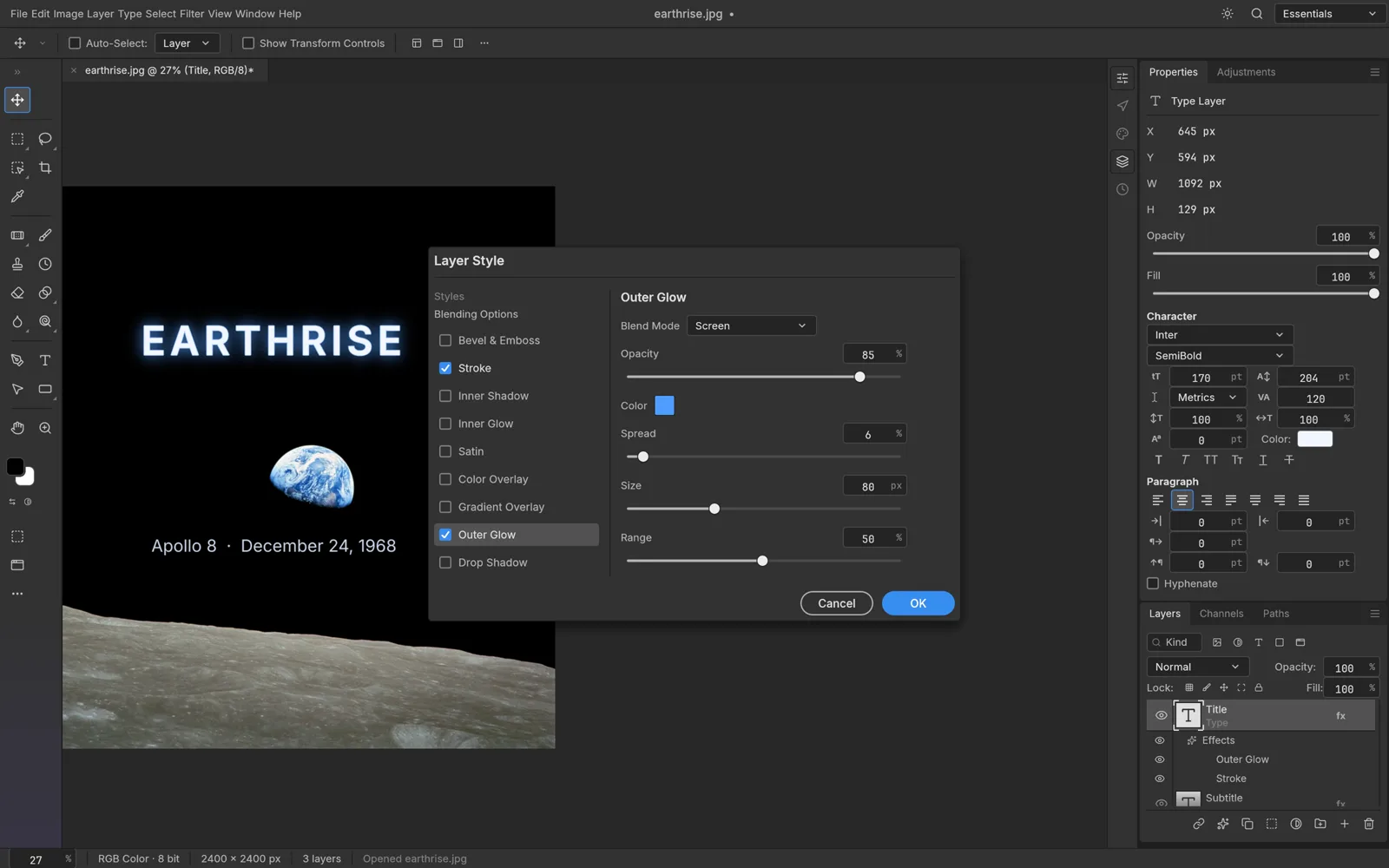
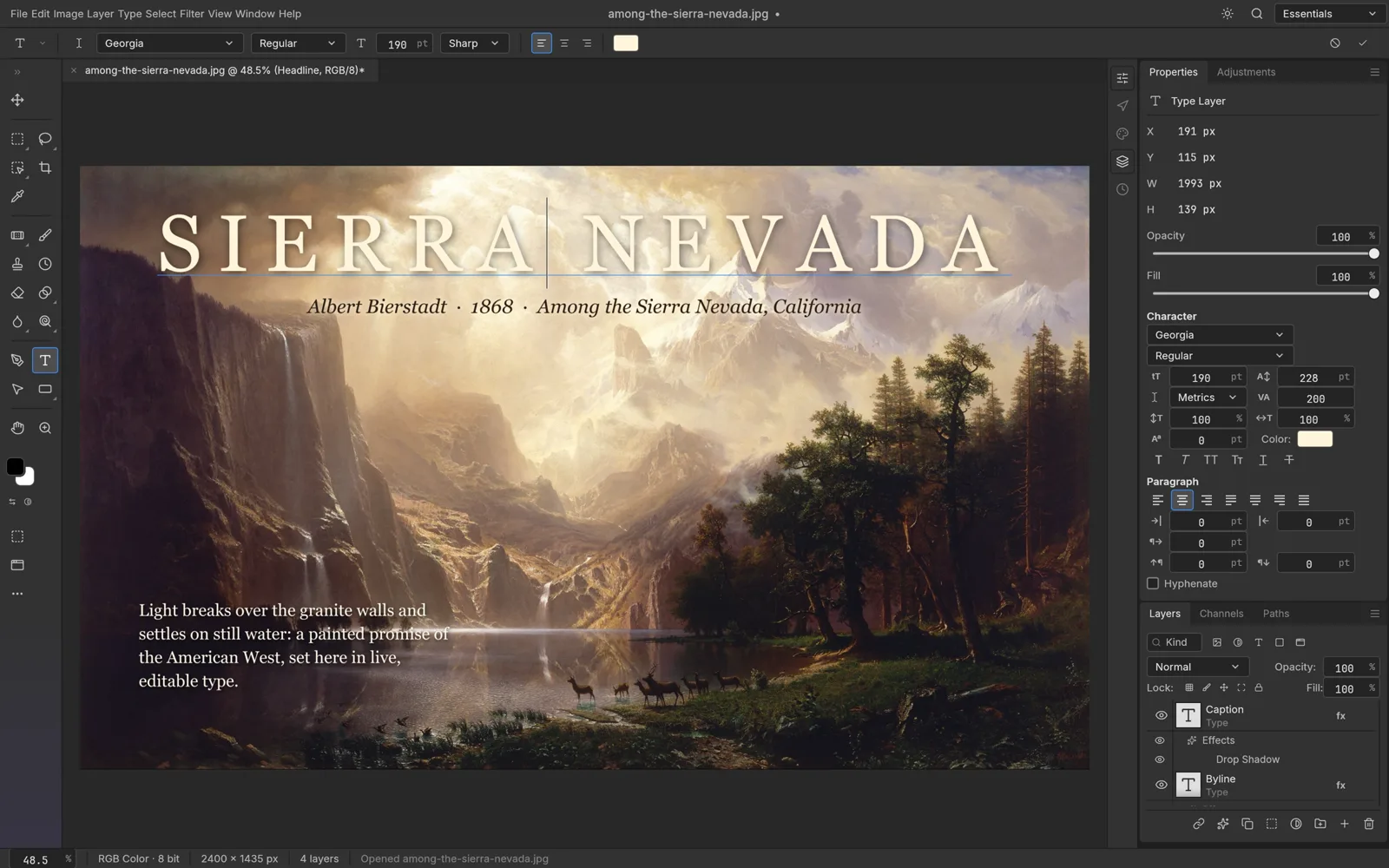
PhotoCraft's whole pitch is that you already know how to use it. Its menus, panels and shortcuts follow Photoshop's layout, and its tools carry familiar names such as Select Subject, Select and Mask, Spot Healing Brush and Free Transform. Most Photoshop habits carry over.
The PhotoCraft team adds a caveat: its README says every Photoshop menu item is wired to a command, but that this measures wiring, not behaviour. A menu item in the right place may not behave identically yet, and the README counts 15 tools still missing.
 PhotoCraft, from its open-source repository (Apache-2.0).
PSD support
PSD is Photoshop's native format, so Photoshop is the reference here by definition.
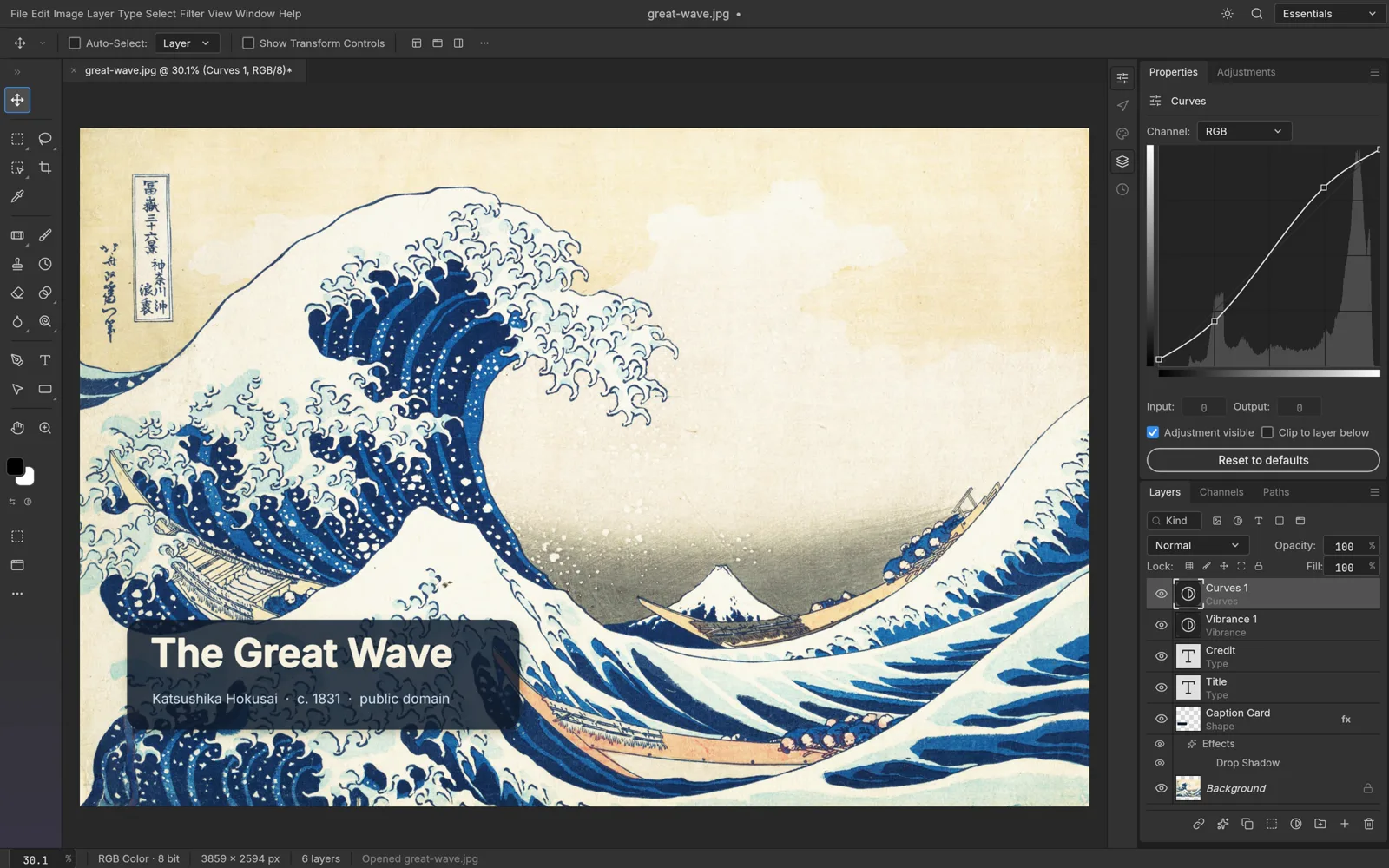
PhotoCraft opens and saves layered PSD and PSB files, with layers, masks, adjustment layers, type and layer styles kept editable. The official PhotoCraft page says 134 of 135 real-world test files round-trip, and the GitHub README explains how re-saved files are compared with Photoshop's own merged image. It also notes that data PhotoCraft doesn't model yet is carried over on save instead of being dropped.
These are the project's own test results, not a promise for every file. If a client sends you a complex PSD, open it, compare it with the original and keep the original file.
 PhotoCraft, from its open-source repository (Apache-2.0).
Non-destructive editing
Both editors are built around the same idea: keep edits live so you can change them later.
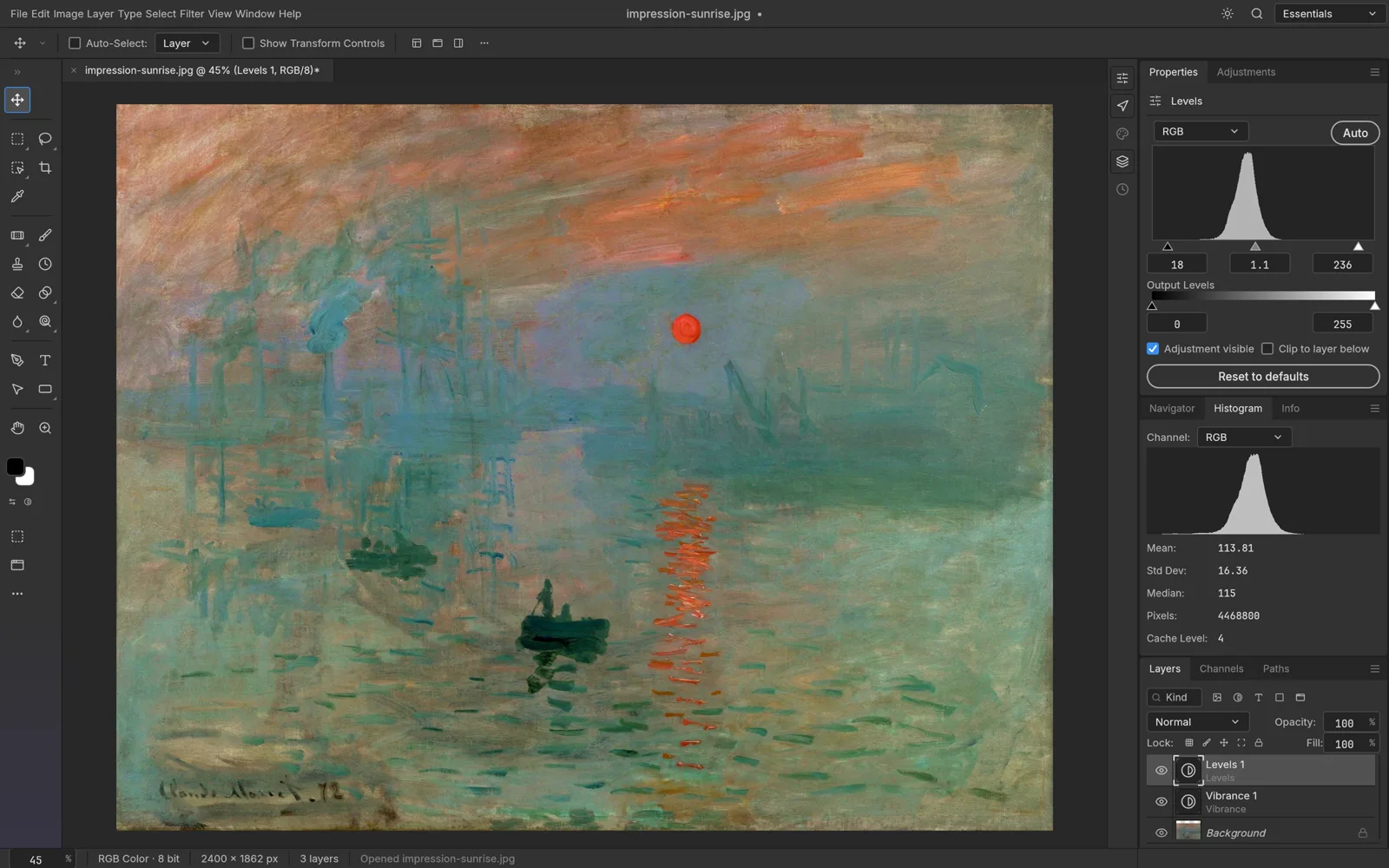
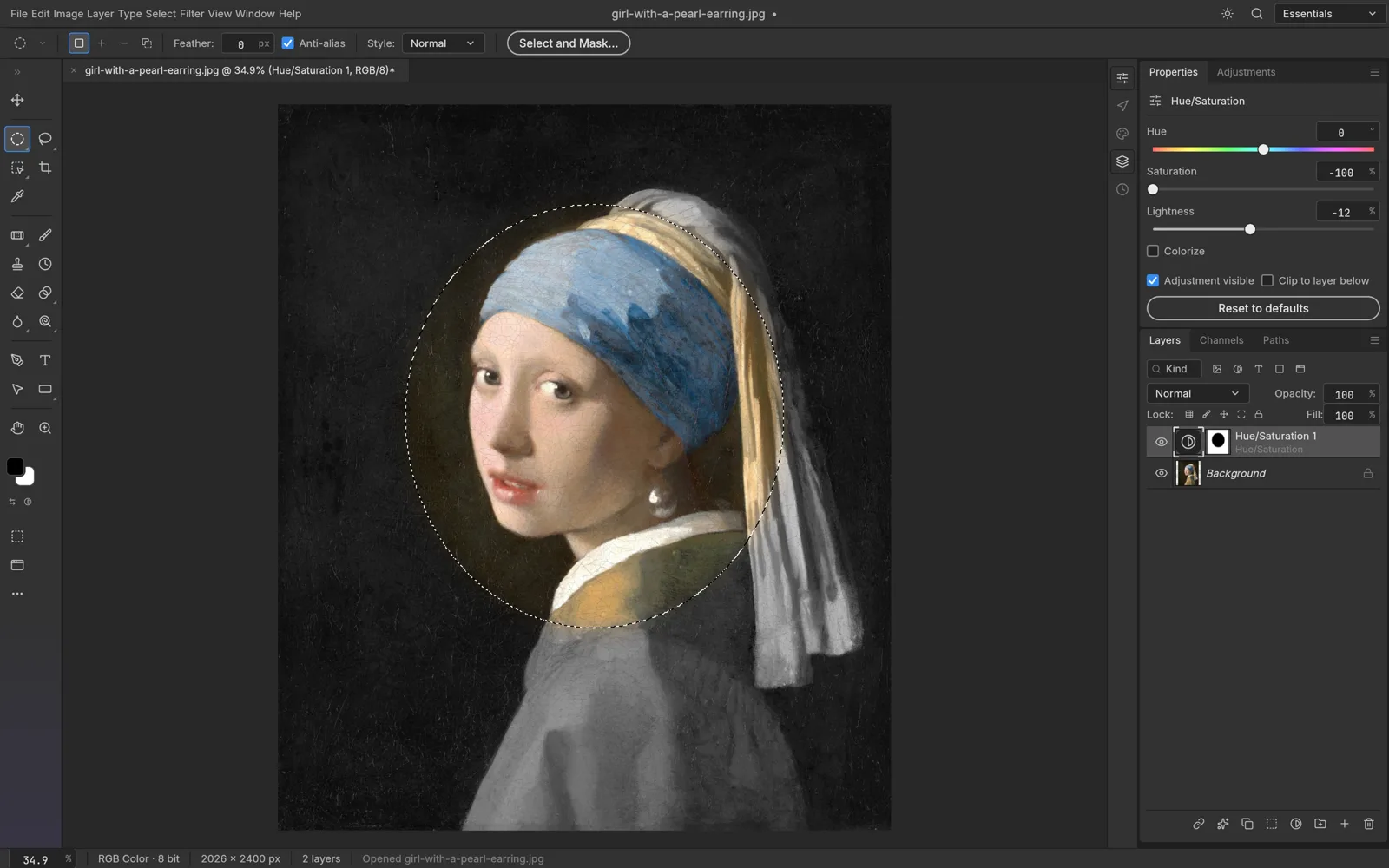
PhotoCraft has 16 adjustment layers (including Levels, Curves, Hue/Saturation and Color Lookup), 70+ filters that preview live on the canvas, smart objects whose smart filters stay editable, pixel and vector masks, clipping masks and a full set of layer styles.
Photoshop goes further and keeps adding to it; Adobe's product page currently highlights new Clarity & Dehaze and Grain adjustment layers, for example. Its long development shows in the long tail: niche filters, edge cases and professional workflows that PhotoCraft hasn't reached yet.
Color and print work
On paper, PhotoCraft's color support is close to Photoshop's: 8, 16 and 32-bit documents in RGB, CMYK, Lab and Grayscale, ICC color management with all four rendering intents, and soft proofing. Photoshop supports the same color modes, 16-bit editing and soft proofing against a CMYK working space.
The gap is in proven workflows rather than checkboxes: PhotoCraft's README lists depth in pro workflows as one of its gaps, so test carefully before you use it for press-ready work.
AI features
AI is where the PhotoCraft vs Photoshop gap is widest.
Photoshop has generative AI built in: Generative Fill, Generative Expand and the Remove Tool, powered by Adobe Firefly models, plus Harmonize for blending objects into a scene and partner models such as Topaz Labs upscaling. Some of these features use the generative credits included with Adobe plans.
PhotoCraft has no generative AI features, and its README names AI and generative features as one of the biggest gaps. What it does have is on-device smart selection: Select Subject, Object Selection and Quick Selection run on your machine, with no cloud and no account.
On AI PS Online you can pair the editor with separate AI tools. The AI background remover cuts out a subject, the AI object remover erases what you describe, and the AI photo editor changes a photo from a written instruction. They need a free account and use credits, with the cost shown before each run. A practical workflow is to let AI do the heavy lifting, then open the result in PhotoCraft for masks, type and final adjustments.
Maturity, plugins and ecosystem
Photoshop is the mature industry standard. It has a plugin ecosystem (UXP plugins through the Plugins Marketplace and Adobe Exchange), and its plans bundle cloud storage, fonts, tutorials and Adobe Express.
PhotoCraft is an early alpha; version 0.7.0 was published on October 11, 2026. Its README says plainly that PhotoCraft is not yet a Photoshop replacement for daily professional work, and the biggest gaps are AI features, missing tools, depth in typography and pro workflows, and plug-in compatibility. In its favour, it is open source, written in Rust, and scriptable: a CLI and an MCP server let scripts and AI agents run the same commands as the menus.
Which should you use?
Choose Photoshop if
- Image editing is your job and clients expect Photoshop files and workflows.
- You rely on generative AI such as Generative Fill.
- Your process depends on specific plugins, cloud libraries or team features.
- You need mature, supported software today, not in a few releases.
Choose PhotoCraft if
- You want a free Photoshop alternative with no subscription and no account.
- You know Photoshop's layout and want to keep your muscle memory.
- You open, edit and save layered PSDs now and then.
- You prefer open-source software you can inspect, self-host or script.
- You are comfortable with alpha software and keep backups of important files.
Or use both
Many people can keep Photoshop for client work and use PhotoCraft for quick jobs, shared PSDs or a computer where they can't install anything. Weighing other free options too? Read our PhotoCraft vs GIMP comparison and our guide to Photoshop online for free.
Try PhotoCraft in your browser
The fastest way to settle PhotoCraft vs Photoshop for yourself is to open one of your own files. Start from our PhotoCraft Online page, drag in a PSD or photo, and work as you would in Photoshop. Save as PSD to keep layers, or export PNG, JPEG or WebP for the web.
Our PhotoCraft tutorial walks through the basics, the PhotoCraft review covers what works well and what doesn't yet, and the guide to the ArtCraft apps introduces the rest of the family. For desktop downloads, use the official PhotoCraft page.
FAQ
Is PhotoCraft a good free Photoshop alternative?
For many everyday jobs, yes. Layers, masks, adjustment layers, type, layer styles and PSD files are all there, and the interface will feel familiar. It is an early alpha, though, and its own developers say it is not yet a replacement for daily professional work.
Can PhotoCraft open and save Photoshop PSD files?
Yes. It opens and saves layered PSD and PSB files with editable layers, masks, adjustment layers and type. The official page reports 134 of 135 test files round-tripping, but complex files can still differ, so keep the original.
Does PhotoCraft have Generative Fill or other AI tools?
No. PhotoCraft has no generative AI built in, though its smart selection tools run on your device. On AI PS Online, separate AI tools such as the background remover and object remover can handle those jobs.
Is there a free version of Photoshop?
Adobe offers a free Photoshop mobile app with paid premium features, and a free trial of the full desktop app. Adobe's FAQ says there is no free version of Photoshop on the web.
Is PhotoCraft an open-source Photoshop alternative made by Adobe?
It is open source, but it is not made by Adobe. PhotoCraft is an independent project by the ArtCraft team, licensed under MIT or Apache-2.0 at your option. AI PS Online is independent of both ArtCraft and Adobe; we host the unmodified PhotoCraft web build.