01
Upload requirements
Some forms, shops and portals only accept JPG. Convert a PNG or WebP screenshot in seconds.
Convert PNG to JPG, JPG to PNG, WebP to PNG or JPG, and any of them to WebP. Batch convert images in seconds, right in your browser.
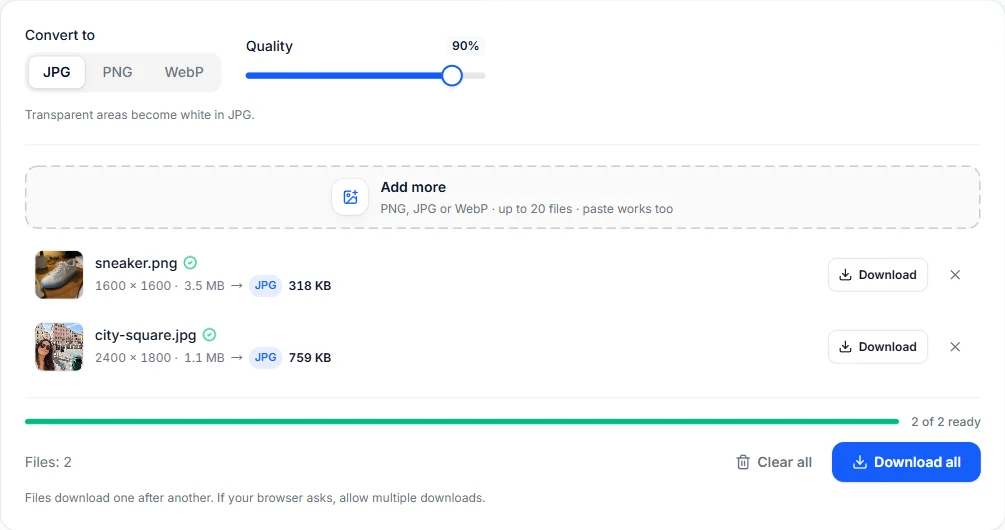
Transparent areas become white in JPG.
Your files are processed on your device and are never uploaded.
Drop PNG, JPG or WebP files onto the converter, choose them from your device, or paste a screenshot. You can add up to 20 at once.
Pick PNG, JPG or WebP. For JPG and WebP you can also set the quality.
Download each converted image, or use Download all to save them one after another.
Everything runs on your device, so it's quick and your files stay yours.
Conversion happens in your browser with the HTML canvas. Your images are never sent to a server.
Convert a whole set of images in one go instead of one by one.
Convert between the three most common web image formats in any direction.
Set the JPG or WebP quality to balance file size and sharpness.
PNG and WebP keep transparency. JPG has none, so transparent areas become white when you convert to JPG.
No account, no credits, no watermark and no daily limit.
Some forms, shops and portals only accept JPG. Convert a PNG or WebP screenshot in seconds.
Convert photos to WebP so pages load faster while the images still look sharp.
Turn WebP images saved from the web into PNG or JPG so any app or editor can open them.
Yes. It's completely free, with no account, credits or watermark. It runs in your browser, so there are no server costs to pass on.
No. Files are read and converted locally in your browser and never leave your device. The converter keeps working even if you go offline after the page has loaded.
You can convert PNG, JPG and WebP into PNG, JPG or WebP. Other formats your browser can display, such as GIF, BMP or AVIF, also work as input; animated images are converted from their first frame.
JPG doesn't support transparency, so transparent pixels are filled with white. Choose PNG or WebP to keep transparency.
A few browsers, including some versions of Safari, cannot create WebP files. When that happens the converter tells you and saves a PNG instead. Chrome, Edge and Firefox can create WebP.
Up to 20 images per batch. For more, clear the list and convert the next batch.
Free browser tools and AI tools for whatever comes next.
Open the free online editor to crop, retouch and add text, then export to PNG, JPG or WebP.