The ArtCraft apps are twelve free, open-source programs from the ArtCraft team: an image editor, a vector tool, a video editor, a raw developer, a PDF workbench, a word processor, a spreadsheet and more. Each is modeled on a professional tool many people pay for, and each is written from scratch in Rust. This guide covers what every app does, which paid tool it is closest to, how far along it is and how to install it.
Where the ArtCraft apps came from
ArtCraft's main product is an open-source desktop app for generating AI images and video. Alongside it, the team now publishes a family of separate apps called the Crafting Apps; the launcher's README calls the whole ArtCraft suite the Craft App Suite. Their GitHub repositories were created between 30 September and 7 October 2026, and the full lineup is on the official Crafting Apps page.
They spread quickly in early October, with threads on Reddit and Hacker News and a run of "I tried it" videos on YouTube. Three things explain the attention. The apps are free and open source. They follow the layouts and shortcuts of tools people already know, so there is little to relearn. And PhotoCraft, which drew much of the early interest, opens and saves layered PSD files.
A note before the list: AI PS Online is an independent site and is not affiliated with or endorsed by ArtCraft, Adobe, Microsoft, Avid or Autodesk. Product names belong to their owners, and "alternative to" is our own framing, not ArtCraft's wording.
What every Crafting App has in common
The official page sets out rules that all twelve share:
- Open source. The code is on GitHub under permissive licenses. When we checked, each of the twelve repositories included both an MIT and an Apache-2.0 license file.
- Native, not wrapped. Real desktop builds for macOS, Windows and Linux, with no Electron and no web views.
- Familiar layouts. Menus, tools and shortcuts that working professionals already know.
- Local files. Everything runs on your own machine, with no cloud round trips.
- Agent-ready. Each app can be driven from a command-line tool, a JSON control channel or an MCP server.
- Also in the browser. Eleven of the twelve also compile to WebAssembly and run in a browser tab.
This is young software: PhotoCraft and PdfCraft are labeled early alpha, the other ten in development. Version numbers below are from each app page as of 13 October 2026.
Creative apps
PhotoCraft: image editor
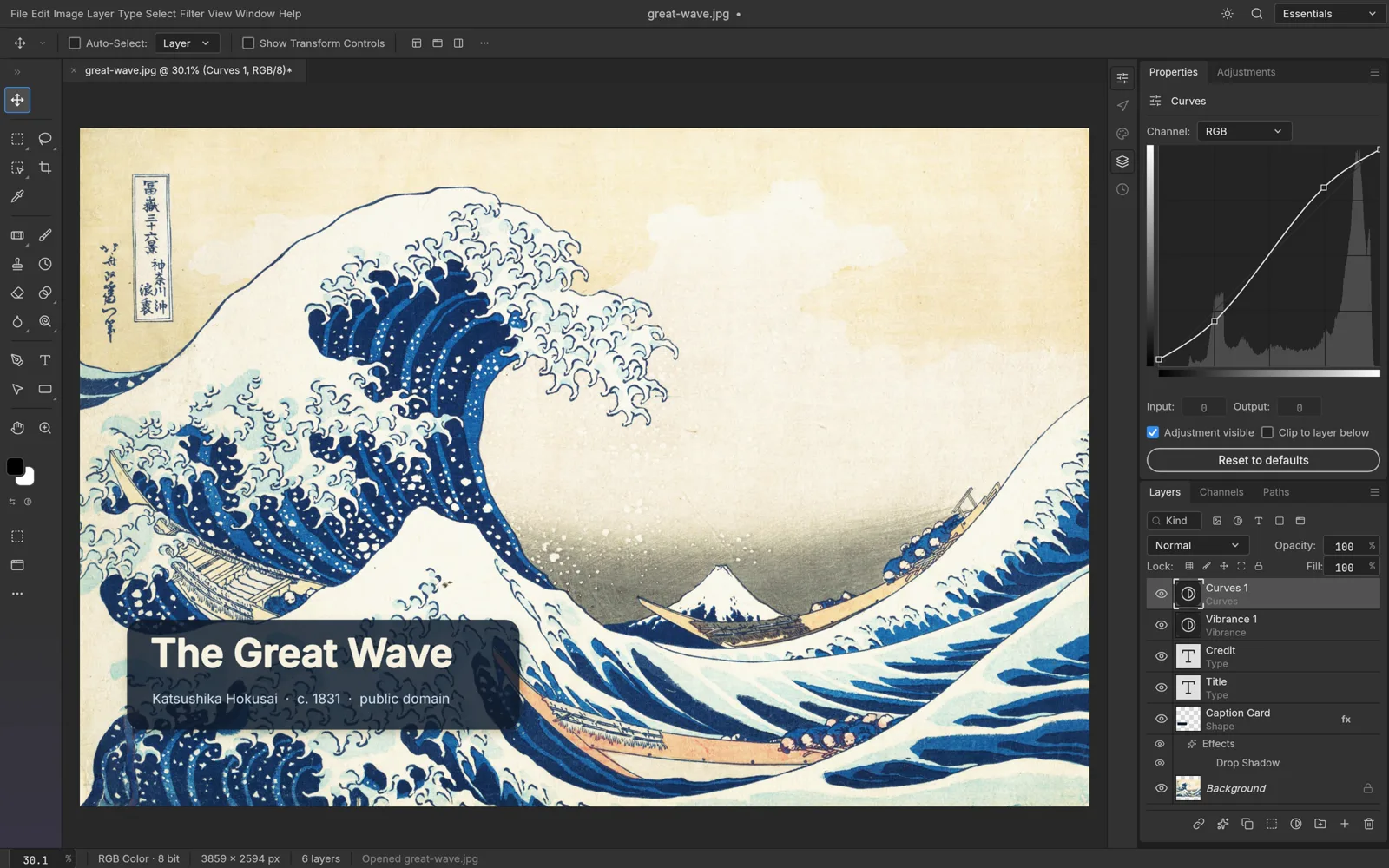
PhotoCraft calls itself the image editor you already know how to use: Photoshop-style menus, panels and shortcuts on a native GPU canvas. It opens and saves layered PSD and PSB files (the official page reports 134 of 135 real-world test files round-tripping) and has 16 adjustment layers, more than 70 live-preview filters, smart objects, layer styles, and CMYK and Lab documents up to 32-bit.
Alternative to: Adobe Photoshop. Status: early alpha, v0.7.0. Runs on: macOS, Windows, Linux, FreeBSD, plus a web build to host yourself.
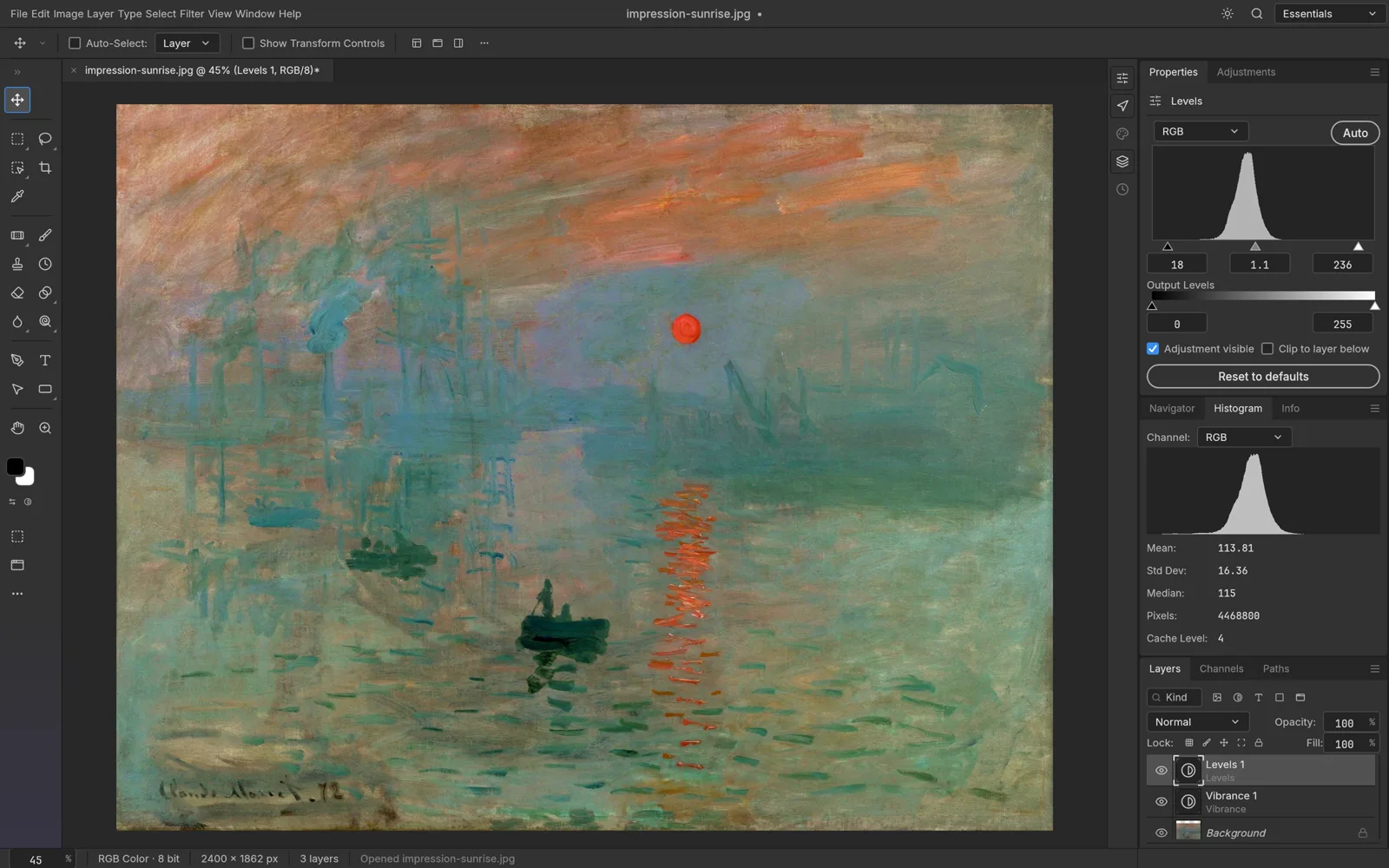 PhotoCraft, from its open-source repository (Apache-2.0).
VectorCraft: vector illustration
VectorCraft brings the pen, direct selection, shape booleans, snapping guides and an appearance panel. Blends, envelope distort and gradient mesh stay editable, image tracing has 12 presets, and files move in and out as SVG and PDF. Its page says it is open source "and in your browser too".
Alternative to: Adobe Illustrator. Status: in development, v0.9.0. Runs on: macOS, Windows, Linux, web.
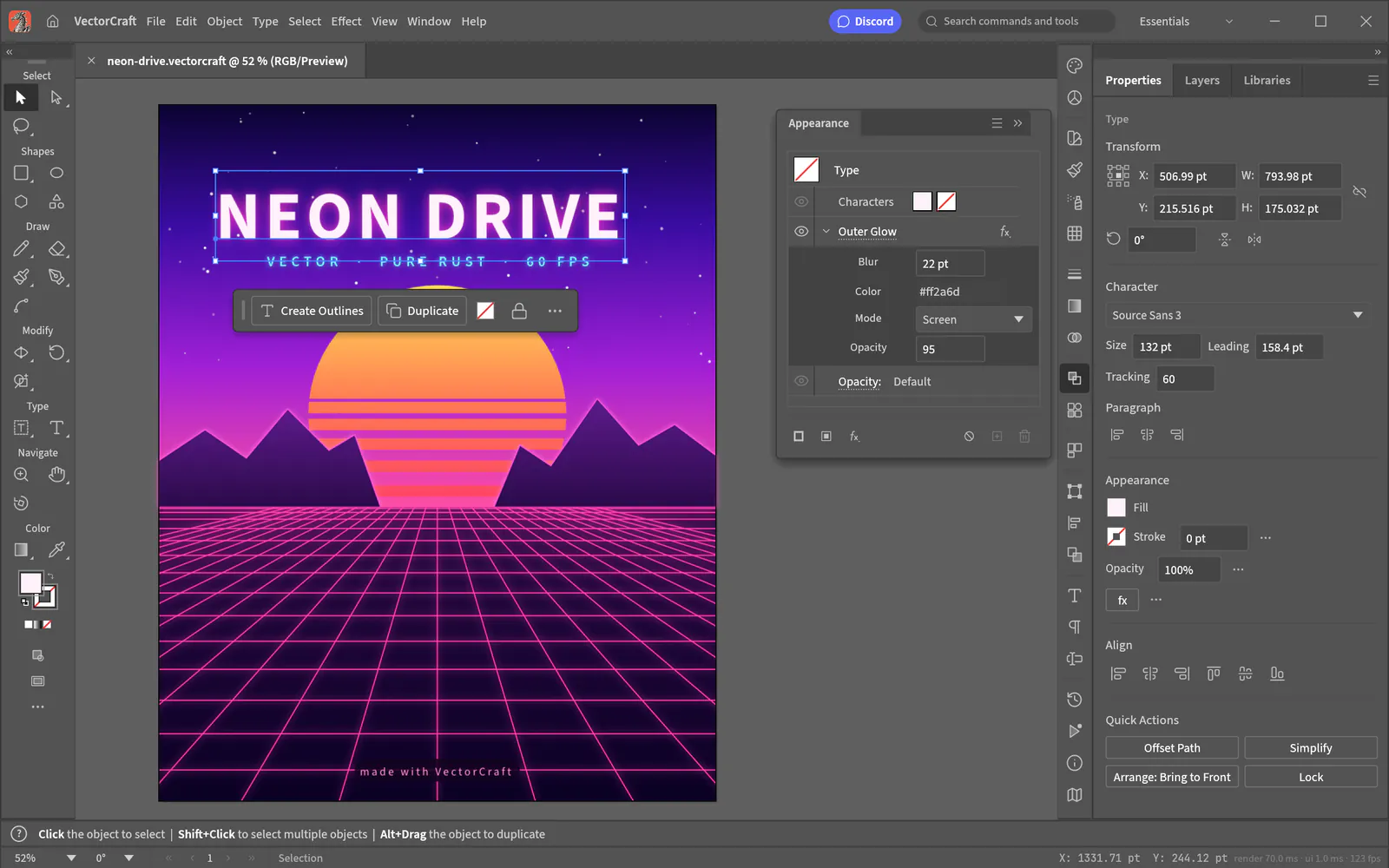 VectorCraft, from its open-source repository (Apache-2.0).
LightCraft: photo library and raw developer
LightCraft is a photo library and non-destructive raw developer with no account, no cloud, no telemetry and no subscription. It has a tone curve, color mixer, grading wheels and masks for sky, subject and background, with its own raw decoders for DNG, CR2, ARW, NEF, RAF and other formats.
Alternative to: Adobe Lightroom. Status: in development, v0.6.0. Runs on: macOS, Windows, Linux, web.
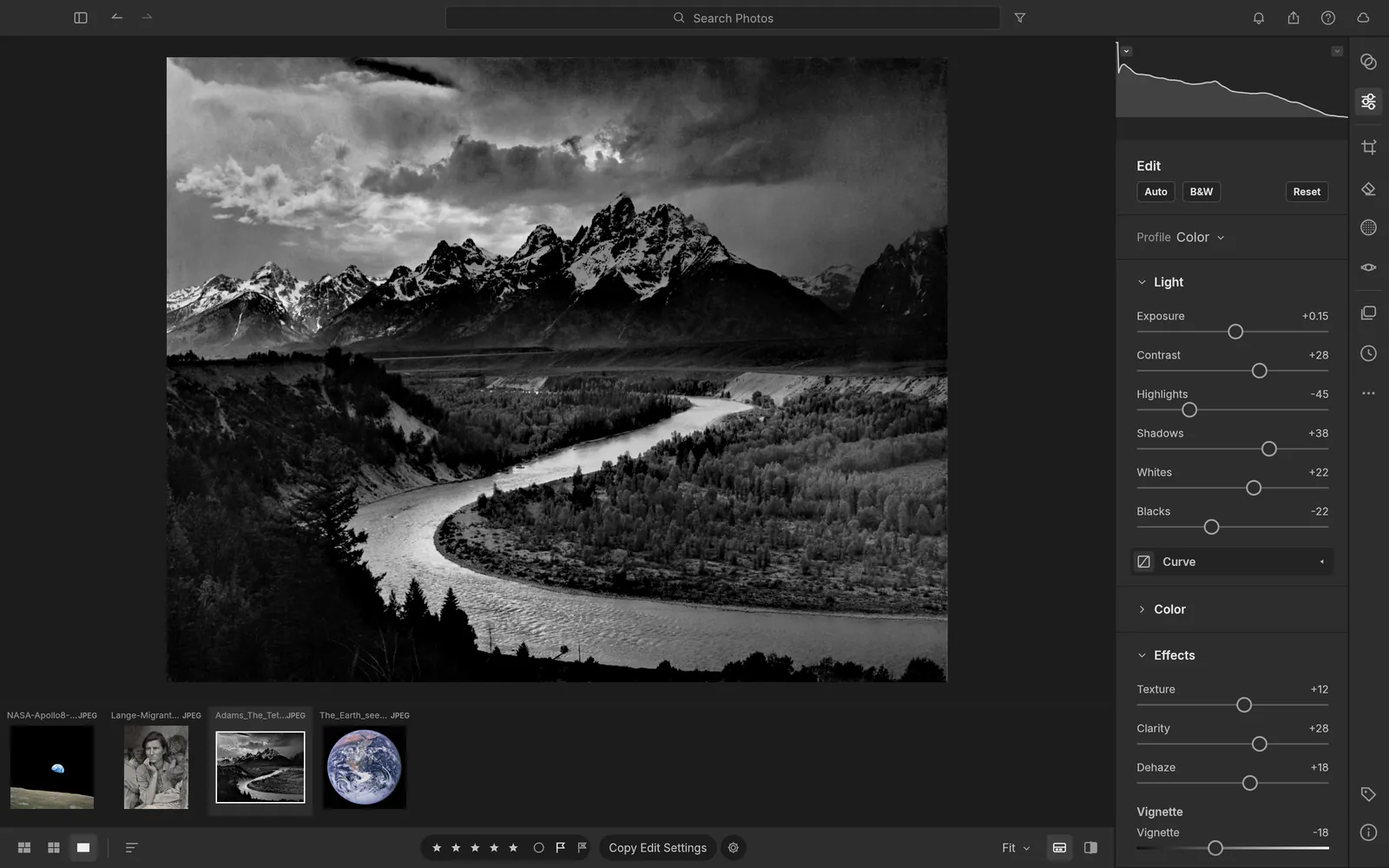 LightCraft, from its open-source repository (Apache-2.0).
FilmCraft: video editor
FilmCraft is a timeline editor with source and program monitors, three-point editing and every trim mode. It ships its own codecs for H.264, HEVC, ProRes and VP9 with no FFmpeg inside, plus color tools with curves, wheels, LUTs and scopes.
Alternative to: Adobe Premiere Pro. Status: in development, v0.6.0. Runs on: macOS, Windows, Linux. It is the one app the overview page leaves out of its browser list.
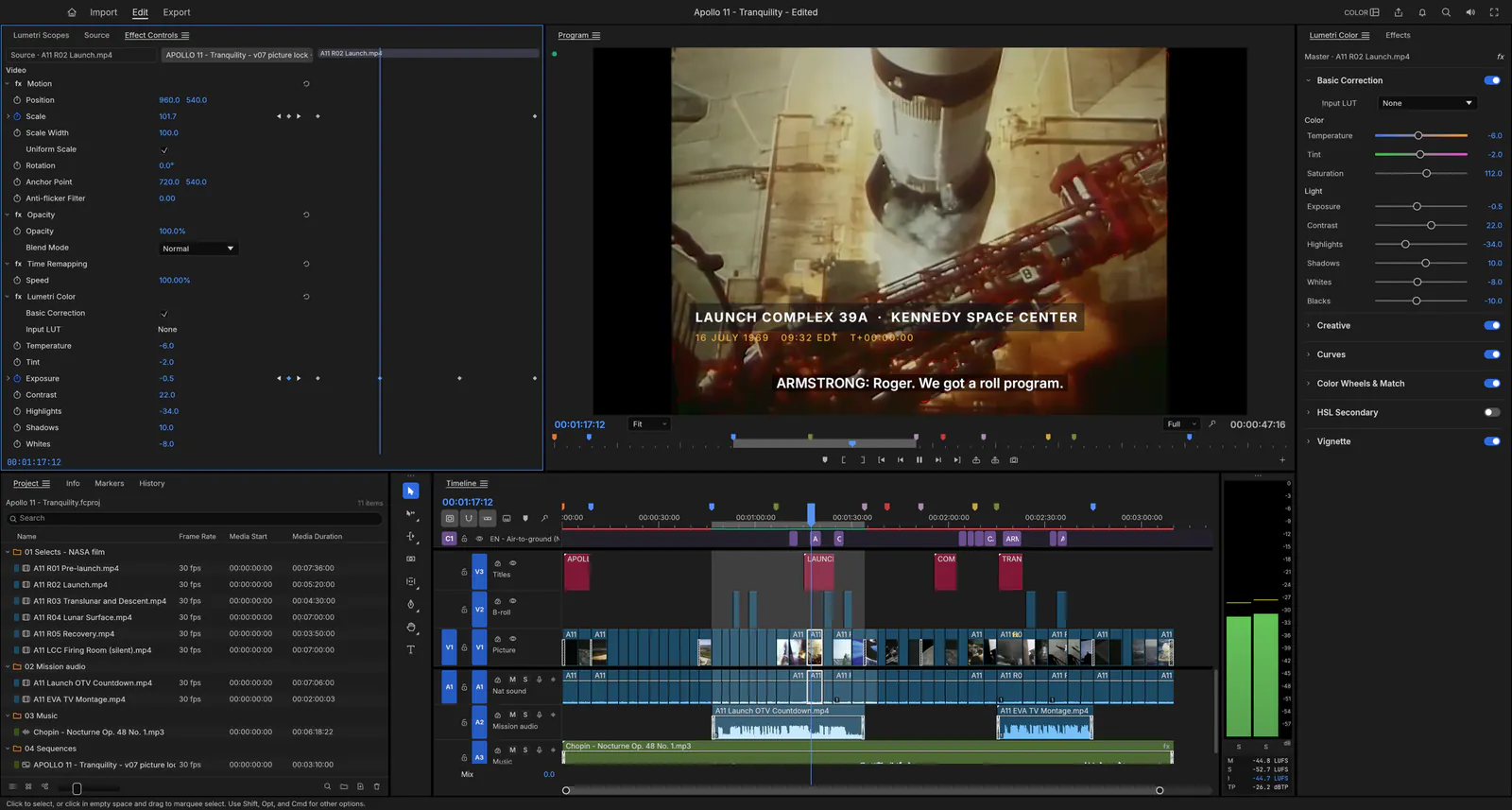 FilmCraft, from its open-source repository (Apache-2.0).
EffectCraft: motion graphics and VFX
EffectCraft is a compositor with layers, keyframes and a graph editor, 259 effects, 3D cameras and lights, JavaScript expressions and a render queue. It exports H.264 and ProRes with alpha, image sequences and GIF, and handles Lottie for the web.
Alternative to: Adobe After Effects. Status: in development, v0.8.0. Runs on: macOS, Windows, Linux, web.
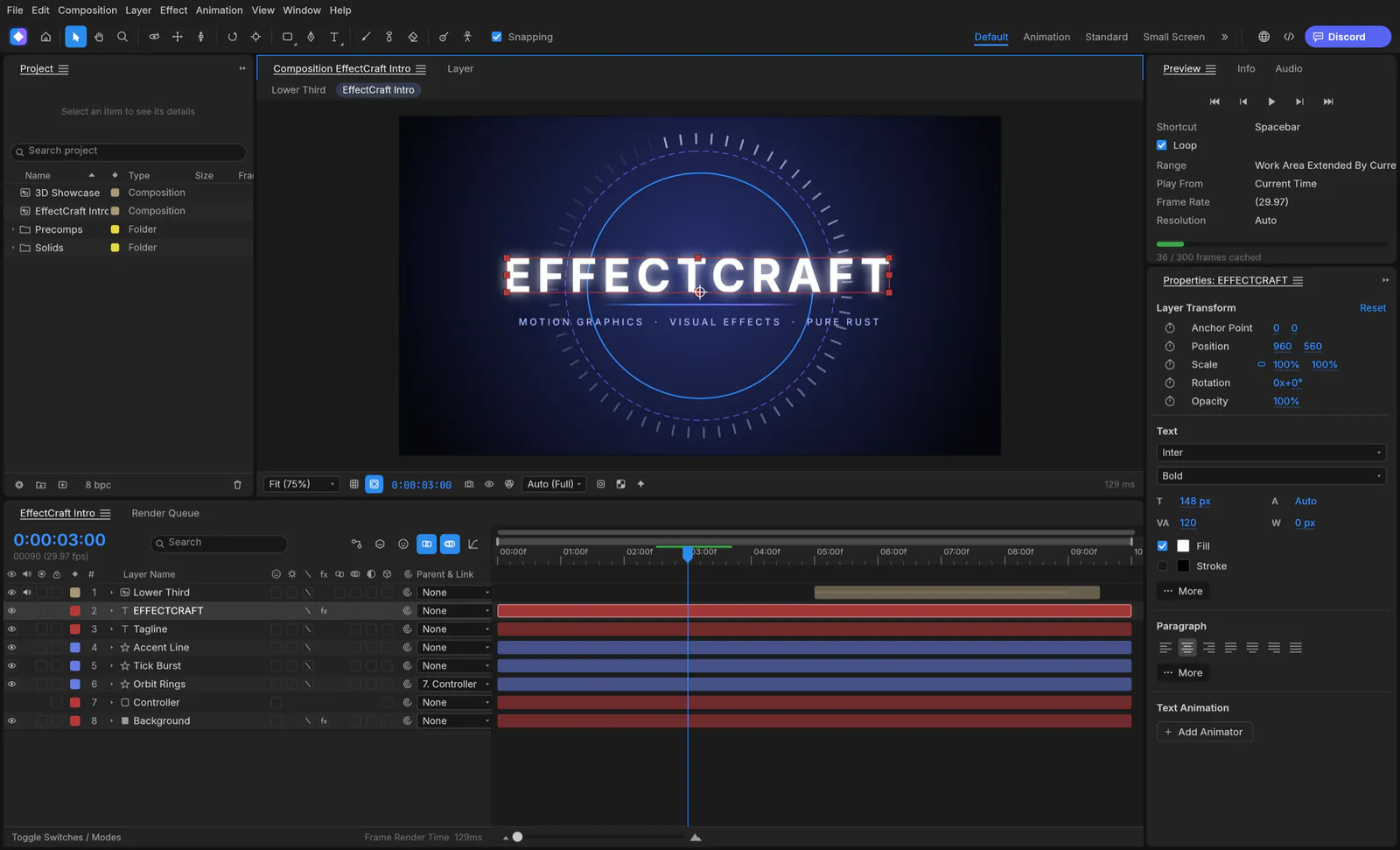 EffectCraft, from its open-source repository (Apache-2.0).
DesignCraft: page layout and publishing
DesignCraft handles spreads and parent pages, threaded stories, paragraph and character styles, swatches and text wrap. Type is set with a Knuth-Plass paragraph composer, and output is print-ready PDF with CMYK and spot colors, bleed, crop marks and PDF/A.
Alternative to: Adobe InDesign. Status: in development, v0.6.0. Runs on: macOS, Windows, Linux, web.
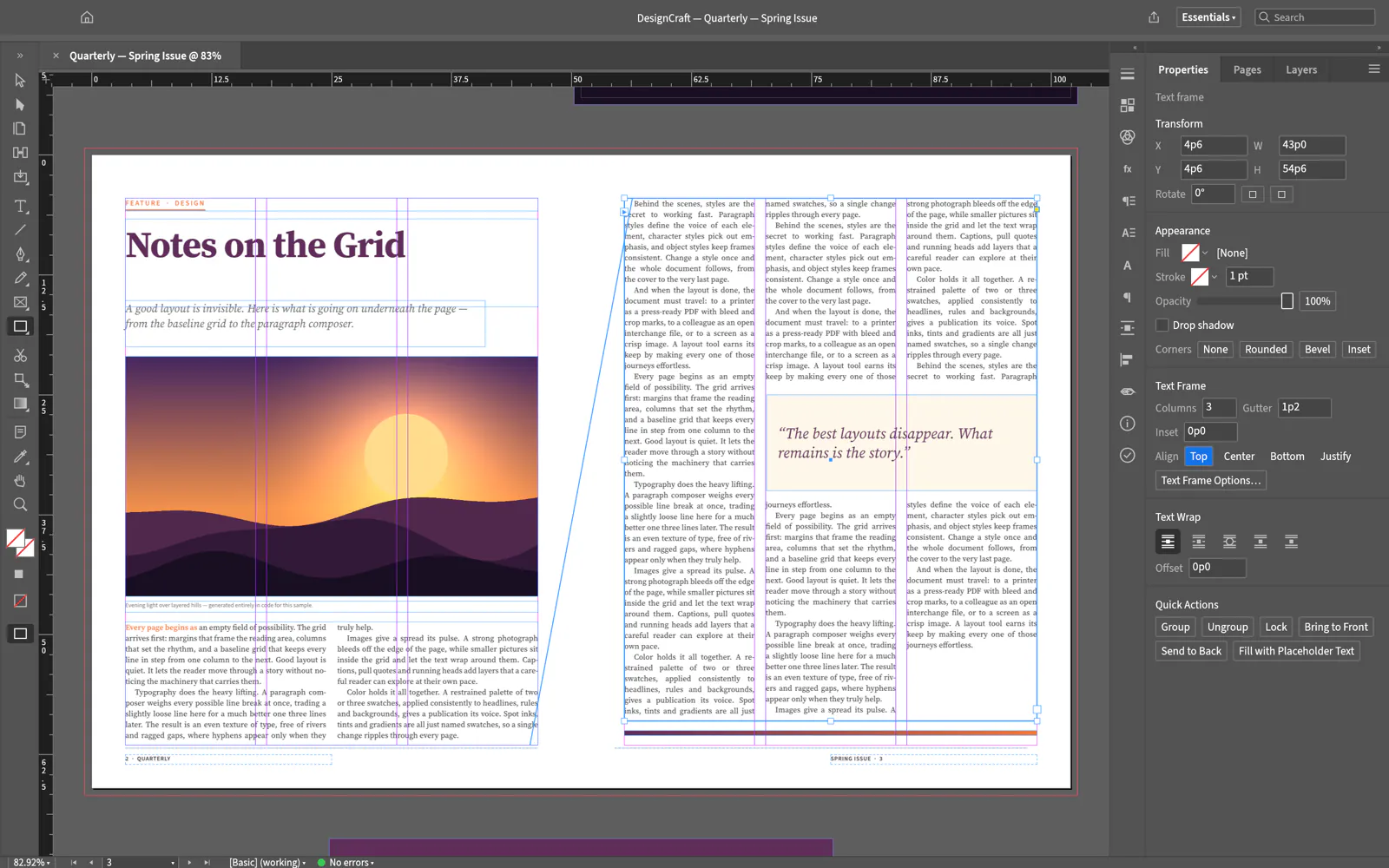 DesignCraft, from its open-source repository (Apache-2.0).
SoundCraft: audio workstation
SoundCraft is a digital audio workstation with separate Edit and Mix windows, multitrack audio and MIDI, inserts and sends on every track, live automation, CLAP plugin support, a piano roll and surround panning up to 9.1.6.
Alternative to: Avid Pro Tools. Status: in development, v0.5.0. Runs on: macOS, Windows, Linux, web.
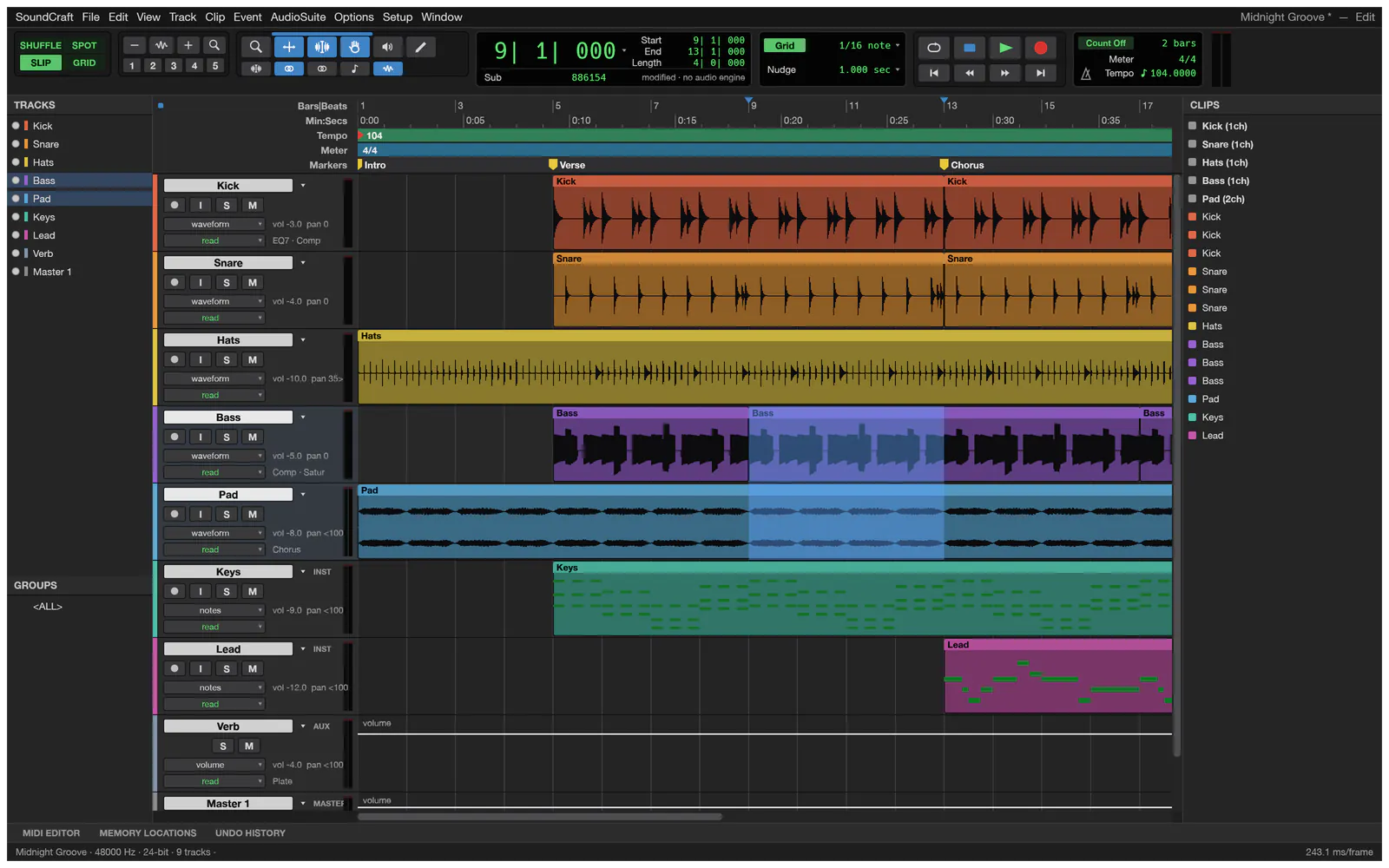 SoundCraft, from its open-source repository (Apache-2.0).
Office and technical apps
PdfCraft: PDF workbench
PdfCraft reads, organizes, combines, splits and secures PDFs. You can reorder, rotate, insert and delete pages, merge or split files while keeping links, form fields and bookmarks, and open files encrypted with anything from RC4 to AES-256.
Alternative to: Adobe Acrobat. Status: early alpha, v0.6.0. Runs on: macOS, Windows, Linux, web.
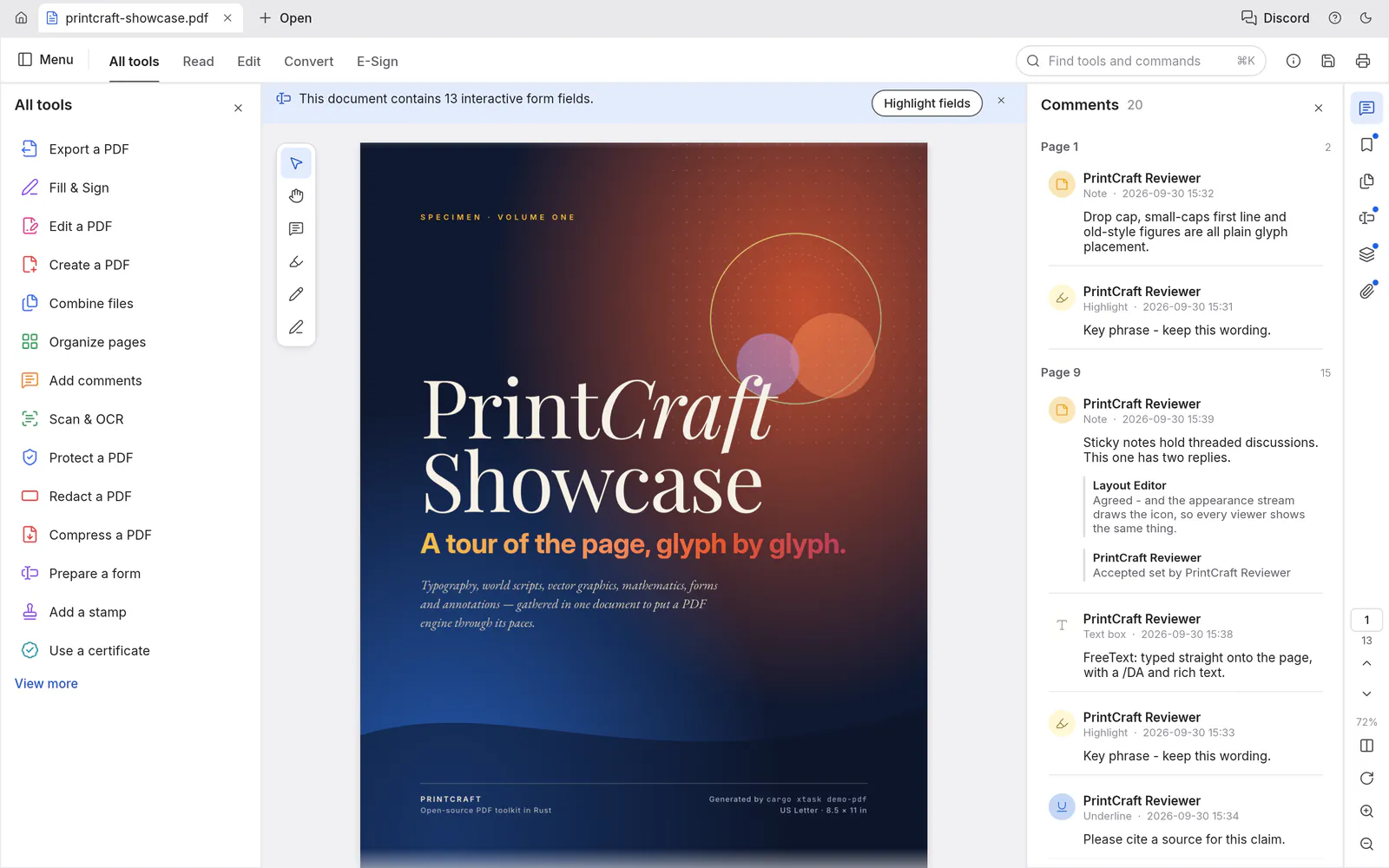 PdfCraft, from its open-source repository (Apache-2.0).
WordCraft: word processor
WordCraft has a ribbon and a live Styles gallery, opens and saves .docx natively, and exports PDF. It covers track changes, comments, document comparison, offline spelling and grammar, tables of contents, footnotes and citations in APA, MLA, Chicago and IEEE styles.
Alternative to: Microsoft Word. Status: in development, v0.5.0. Runs on: macOS, Windows, Linux, web.
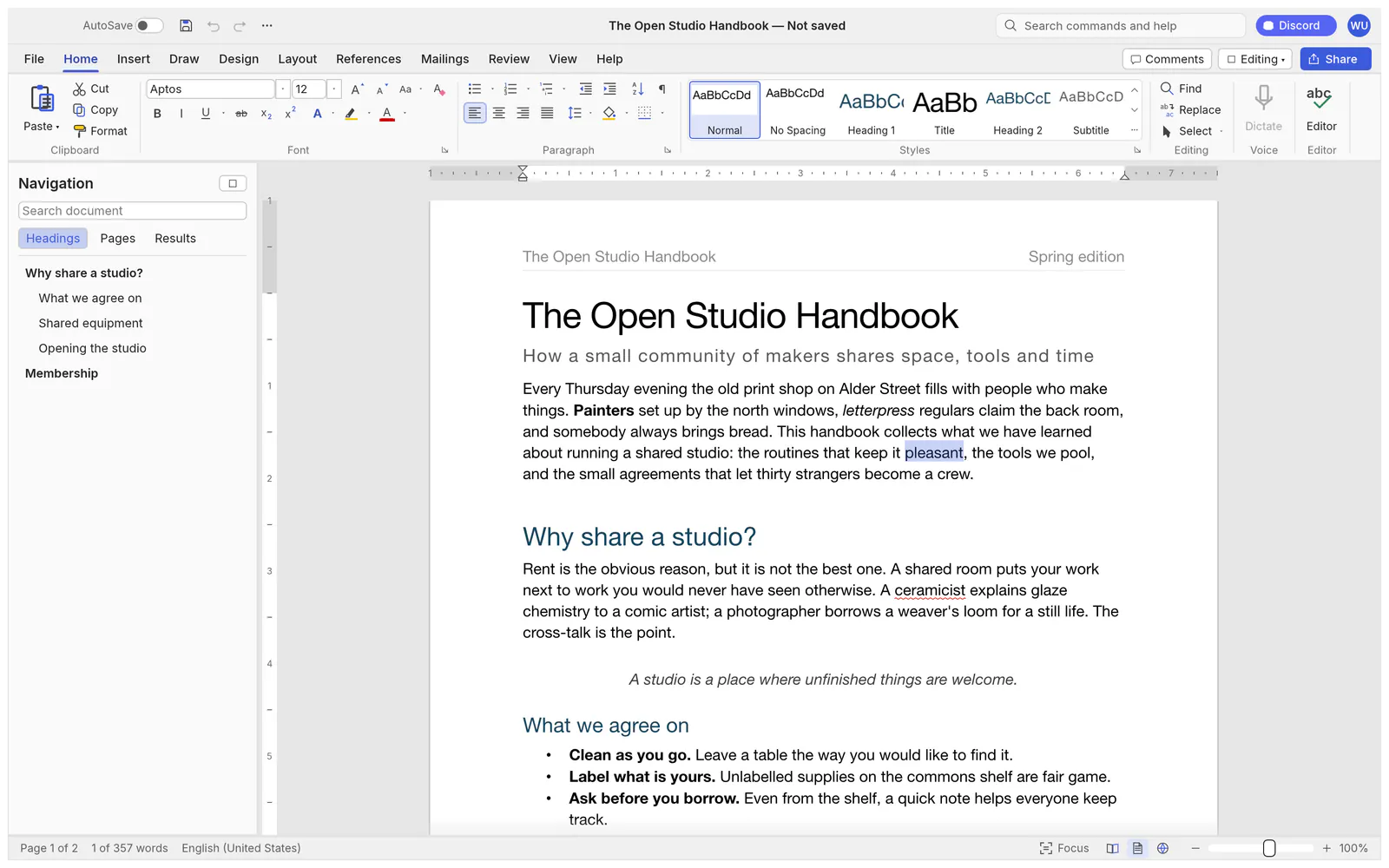 WordCraft, from its open-source repository (Apache-2.0).
DeckCraft: presentations
DeckCraft offers slide masters, themes, more than 150 vector shapes, transitions including Morph, animations and a presenter view with speaker notes and timers. It opens and saves .pptx files and exports PDF slides and handouts.
Alternative to: Microsoft PowerPoint. Status: in development, v0.5.0. Runs on: macOS, Windows, Linux, web.
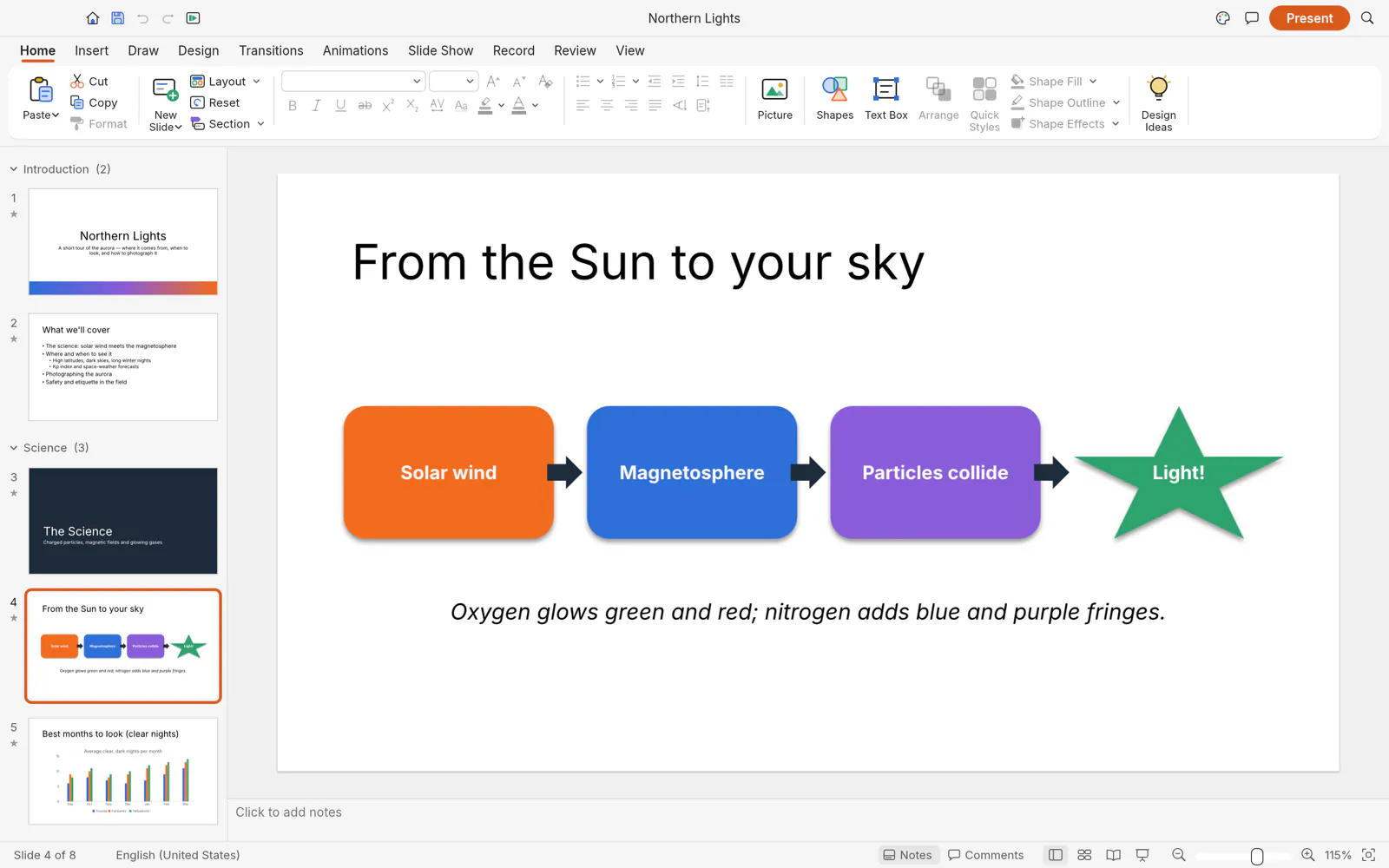 DeckCraft, from its open-source repository (Apache-2.0).
GridCraft: spreadsheets
GridCraft has the formula bar, Name Box, sheet tabs and fill handle you expect, reads and writes .xlsx, and includes more than 500 functions with dynamic arrays, LET and LAMBDA, plus charts and PivotTables.
Alternative to: Microsoft Excel. Status: in development, v0.5.0. Runs on: macOS, Windows, Linux, web.
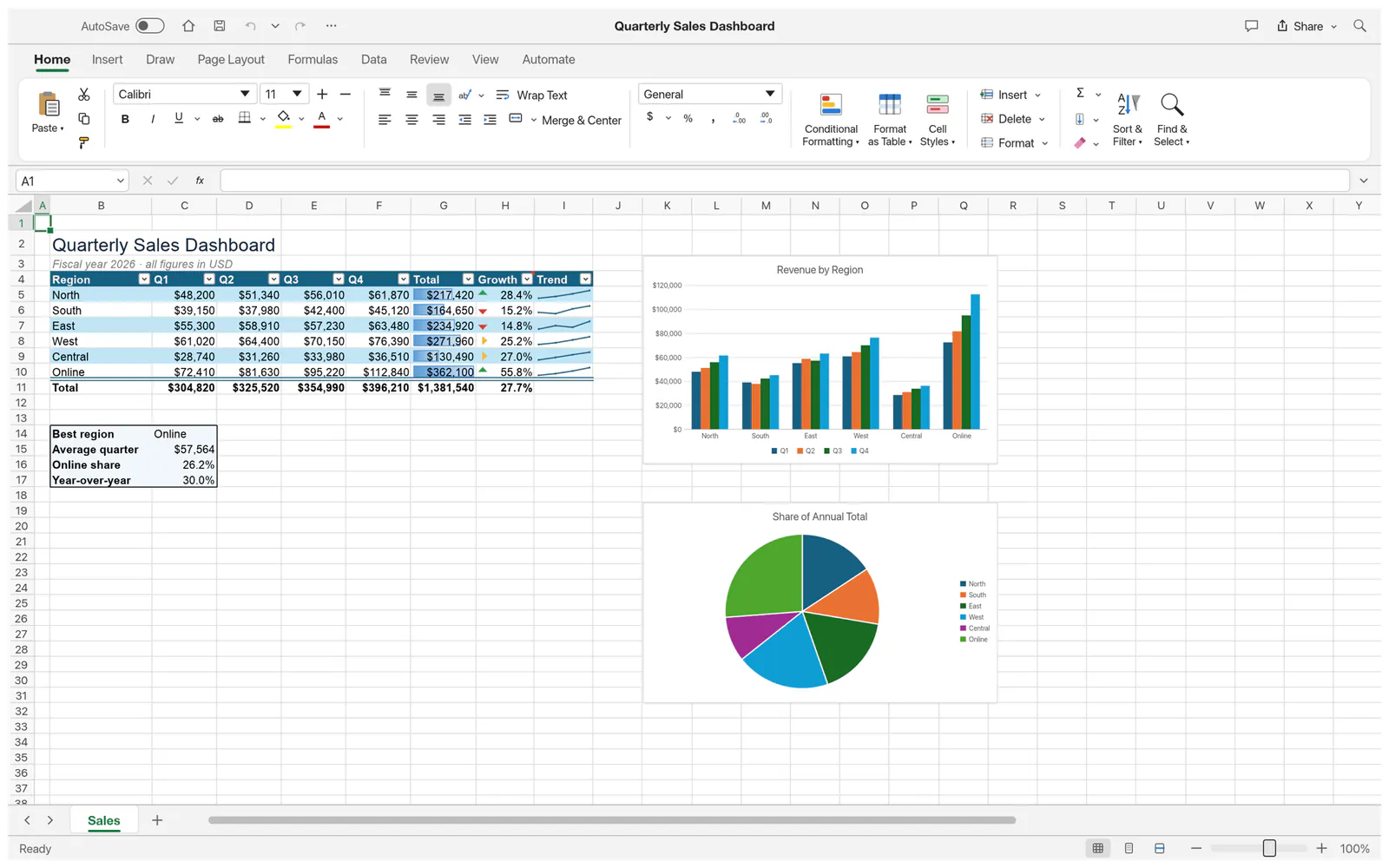 GridCraft, from its open-source repository (Apache-2.0).
CADCraft: CAD and drafting
CADCraft works the way drafters expect: a command line, object snaps, polar tracking, layers, dimensions, hatches and blocks, with paper space viewports and parametric constraints. It reads and writes DXF, opens DWG, and exports PDF, SVG and PNG.
Alternative to: Autodesk AutoCAD. Status: in development, v0.5.0. Runs on: macOS, Windows, Linux, web.
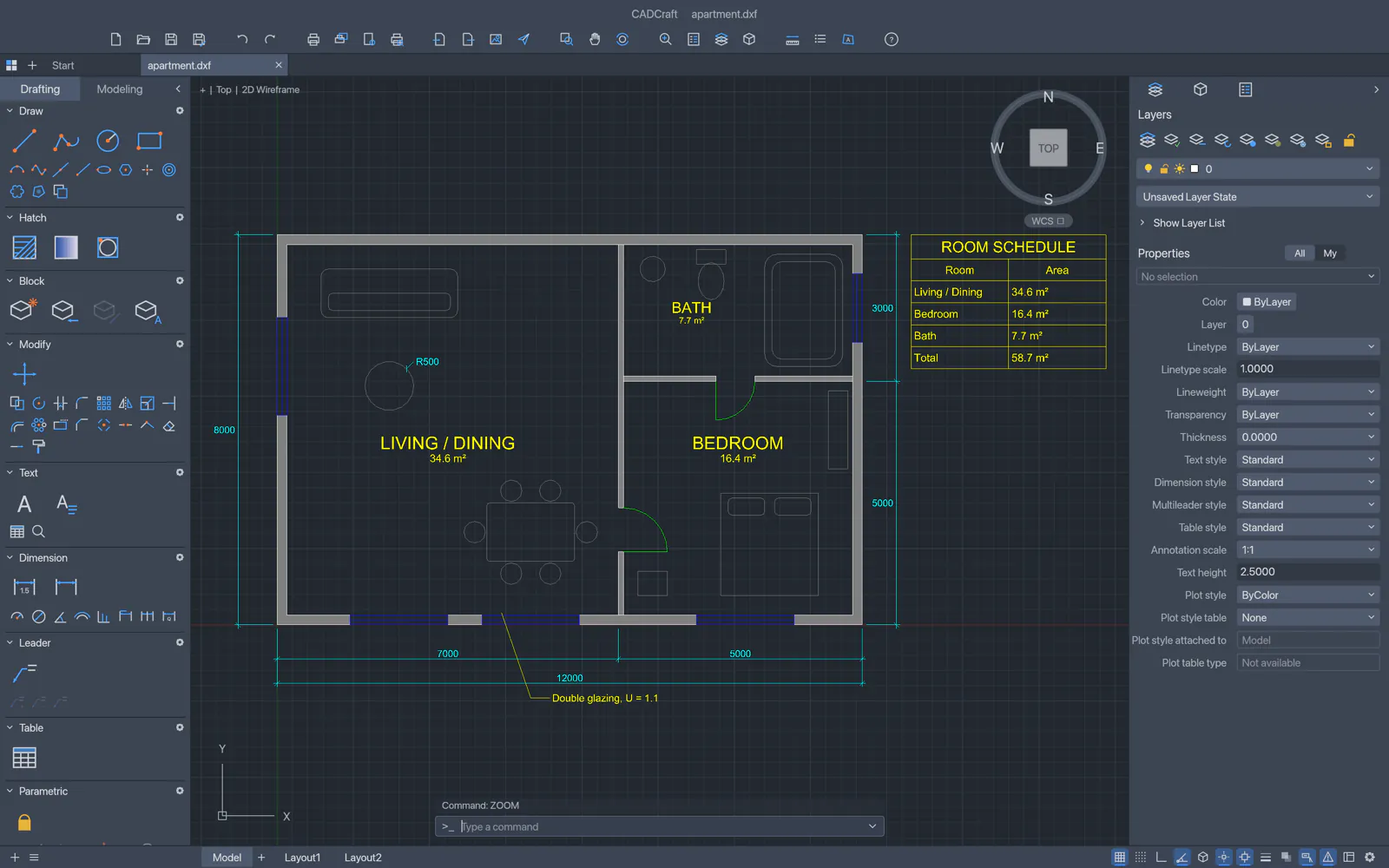 CADCraft, from its open-source repository (Apache-2.0).
The 12 Crafting Apps at a glance
Seven of the twelve line up with Adobe products, three with Microsoft Office, one with Avid and one with Autodesk, so searches for open-source Adobe alternatives and Office alternatives both lead here.
| App | Open-source alternative to | Category |
|---|---|---|
| PhotoCraft | Adobe Photoshop | Image editor |
| VectorCraft | Adobe Illustrator | Vector illustration |
| LightCraft | Adobe Lightroom | Photo library and raw developer |
| FilmCraft | Adobe Premiere Pro | Video editor |
| EffectCraft | Adobe After Effects | Motion graphics and VFX |
| DesignCraft | Adobe InDesign | Page layout and publishing |
| SoundCraft | Avid Pro Tools | Audio workstation |
| PdfCraft | Adobe Acrobat | PDF workbench |
| WordCraft | Microsoft Word | Word processor |
| DeckCraft | Microsoft PowerPoint | Presentations |
| GridCraft | Microsoft Excel | Spreadsheets |
| CADCraft | Autodesk AutoCAD | CAD and drafting |
Try PhotoCraft online, no install
PhotoCraft is the easiest place to start, and you don't have to install anything. ArtCraft offers PhotoCraft's web build as a download to host yourself; the official site doesn't run a hosted version. AI PS Online hosts the unmodified PhotoCraft 0.7.0 web build, so you can use PhotoCraft online from our PhotoCraft page or open the editor directly.
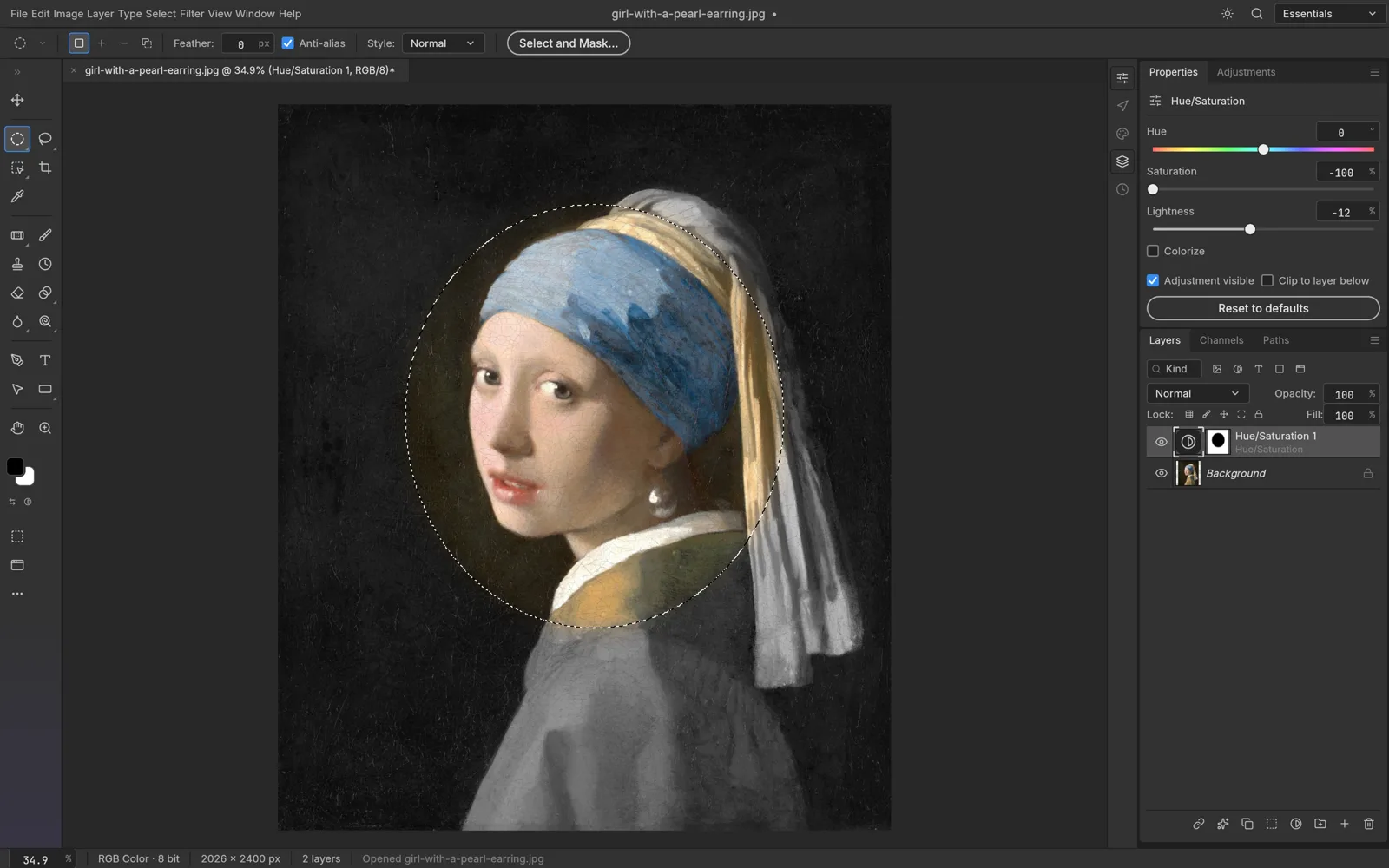
There is no download and no account. Files open from and save to your own device, and there is no cloud autosave, so save a PSD or export before you close the tab. For more depth, read our PhotoCraft review, the PhotoCraft vs Photoshop comparison, or the guide on how to use PhotoCraft. Then try PhotoCraft online with one of your own files.
How to install the Crafting Apps
The desktop versions come from the official pages, in one of three ways:
- ArtCraft Launcher (recommended by ArtCraft). Version 0.2.1 installs every Crafting App from one place, picks the right build for your computer, verifies downloads and keeps all the apps up to date. Get it from getartcraft.com/apps.
- Standalone downloads. Each app page has its own installers: a universal disk image for Macs; installers and portable versions for Windows, including ARM64; Flatpak, AppImage, .deb, .rpm and tarball builds for Linux; a FreeBSD build; a headless command-line tool; and a web build to host yourself. SHA-256 checksums are listed for verification.
- Build from source. With Rust 1.90 or newer, clone the app's GitHub repository and run
cargo run --release -pfollowed by the app's name.
If you install a standalone app first and add the launcher later, the launcher finds the app and takes over its updates.
Caveats before you switch
- These are early builds. Expect bugs, missing features and frequent releases. Keep your originals, and don't move deadline work onto an alpha.
- Familiar is not identical. None of the apps claims full feature parity with the tool it resembles. Test your own PSD, .docx, .xlsx or DWG files before you rely on them.
- Read the license yourself. Check each repository's license before you redistribute or build on the code.
- Download from the source. Get the desktop apps from getartcraft.com or the GitHub releases it links to, and compare the checksums.
Screenshots in this guide come from the ArtCraft open-source repositories (MIT OR Apache-2.0), © the ArtCraft contributors, and are used under that license.
FAQ
Are the ArtCraft apps free?
Yes. ArtCraft describes all twelve as free and open source, and the installers on each app page cost nothing.
Are the ArtCraft apps really Adobe clones?
Not in the sense of copied code. They are independent programs written from scratch in Rust that borrow familiar layouts, tools and shortcuts. Seven of the twelve resemble Adobe products, hence the nickname, but the suite also covers Microsoft, Avid and Autodesk tools. "Alternative" is the fairer word, and how good each one is depends on the features you need.
Which ArtCraft app replaces Photoshop?
PhotoCraft. It is the image editor with a Photoshop-style layout, layers, masks, adjustment layers and PSD and PSB support. For vector artwork, look at VectorCraft; for raw photos, LightCraft. Our PhotoCraft vs Photoshop comparison covers the differences.
Can I use the ArtCraft apps online?
ArtCraft lists eleven of the twelve apps as running in a browser, but its web builds are downloads to host yourself; the official site does not run them as online services. For PhotoCraft, you can use the copy we host at PhotoCraft Online with nothing to install.
Is AI PS Online affiliated with ArtCraft?
No. AI PS Online is an independent product and is not affiliated with or endorsed by ArtCraft. We host the unmodified open-source PhotoCraft web build under its license and offer our own AI photo tools alongside it.