01
Clients and reviewers
Open design files from a designer to check them without buying Photoshop.
No Photoshop? Drop a PSD or PSB file to check its size, layers and color mode right here, then open it in our free browser-based editor to view, edit and export every layer.
The free editor opens layered PSD and PSB files with masks, adjustment layers and text, and saves back to PSD or exports PNG, JPG and WebP.
Open the PSD editorIn the editor, choose File › Open and pick the same file, or drag it into the editor window.
Files never leave your browser
Your files are processed on your device and are never uploaded.
Need to edit the layers, not just view them? Open the PSD in PhotoCraft Online →
Drop a .psd or .psb file into the box above to see its dimensions, color mode, bit depth and layer count. Nothing is uploaded.
Click Open the PSD editor. The editor loads in your browser and needs no install or account.
In the editor, choose File › Open and pick the same file, or drag it into the editor window. Layers, masks and text open ready to edit.
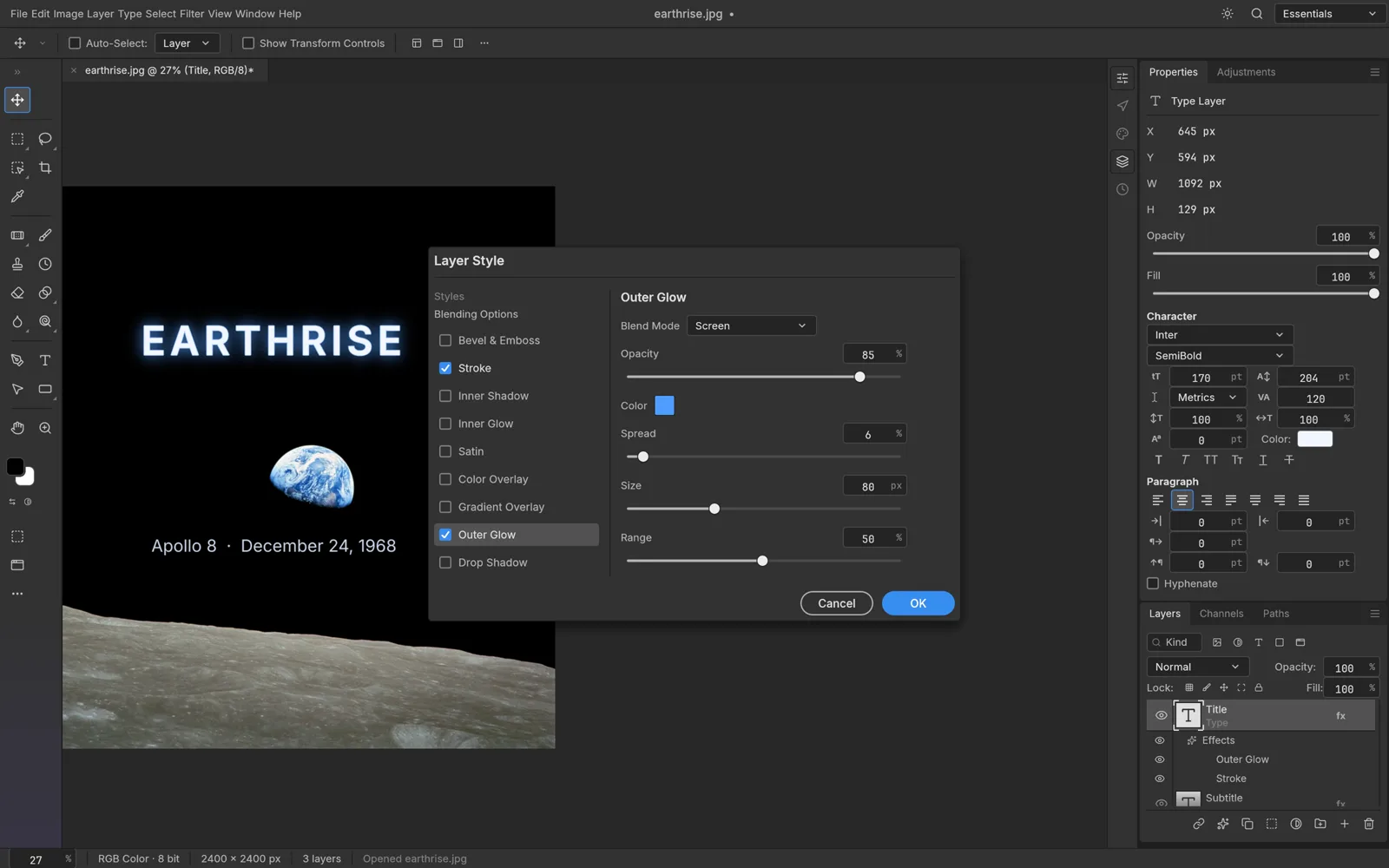
Everything you need to open, check and edit a Photoshop file in a browser.
See the width, height, color mode, bit depth and number of layers as soon as you drop a file.
When the file contains a saved thumbnail, a small preview appears right away, before you open the editor.
The free editor shows layers, groups, masks and text layers, and lets you show or hide each one.
Change layers, fix text and adjust colors, then save back to PSD or export PNG, JPG or WebP.
Both regular Photoshop documents and large-document PSB files can be opened.
Files are read on your device. Neither this page nor the editor uploads your PSD.
Open design files from a designer to check them without buying Photoshop.
Inspect layers, check sizes and export assets from a PSD mockup.
Open PSD templates and assets you downloaded and edit them for free.
Use a browser-based editor. Click Open the PSD editor on this page, then choose File › Open in the editor or drag your PSD into it. It's free and needs no install or account.
Yes. Both this page and the online editor are free to use, with no account required.
No. This page only reads the file header on your device, and the editor runs locally in your browser. Your PSD never leaves your computer.
Yes, in the editor. Its Layers panel lists every layer and group with visibility toggles, masks and blending modes.
Yes, the editor opens both PSD and PSB files. Very large documents depend on your device's memory, so a computer handles them better than a phone.
Yes. Open the PSD in the editor, then export it as PNG, JPG or WebP. You can also save your changes back to PSD.
Free browser tools and AI tools for whatever comes next.
View every layer, make changes and export, all in your browser with nothing to install.