PhotoCraft went from unknown to everywhere in early October 2026 on one promise: an image editor that works like Photoshop but is free and open source. This PhotoCraft review looks past the hype at version 0.7.0, released on 11 October 2026. We opened it in the browser, walked through its menus and checked every claim against the official site and the GitHub README, so you can decide whether it is ready for your work.
The short version: PhotoCraft is impressive for an early alpha, but its own developers say plainly that it is not yet a full Photoshop replacement.
A note on who we are. PhotoCraft is made by the ArtCraft team and released under the MIT or Apache-2.0 license. AI PS Online hosts the unmodified open-source web build as PhotoCraft Online, and we are not affiliated with or endorsed by ArtCraft. Photoshop is a trademark of Adobe Inc., and we are not affiliated with Adobe either.
PhotoCraft at a glance
| Detail | PhotoCraft 0.7.0 |
|---|---|
| Made by | The ArtCraft team and community contributors |
| License and price | Free, MIT or Apache-2.0 |
| Built with | Rust, written from scratch as a clean-room project with no Adobe code |
| Status | Early alpha |
| Platforms | macOS, Windows, Linux, FreeBSD, a command-line tool and a web build |
What PhotoCraft does well
It feels familiar from the first click
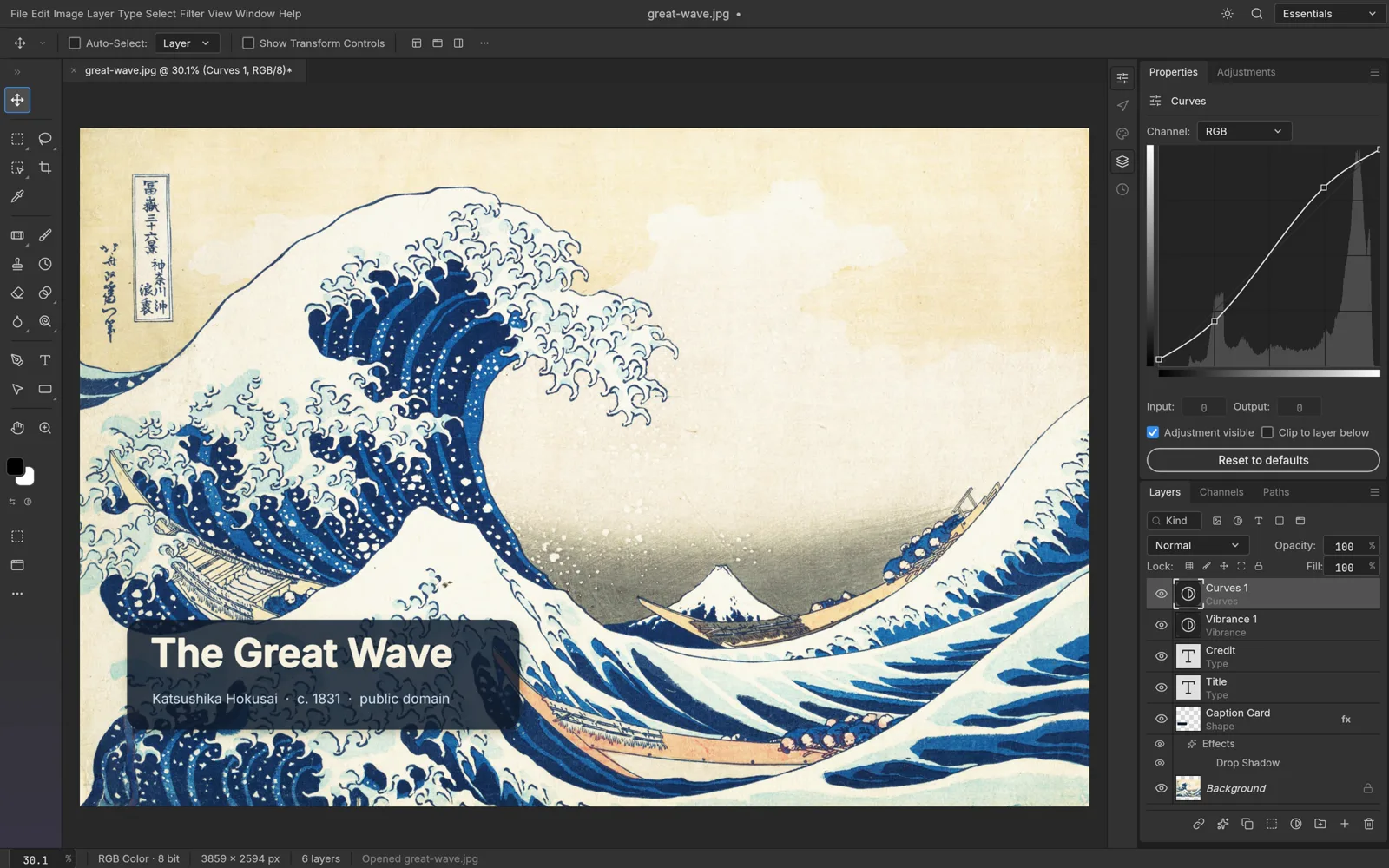
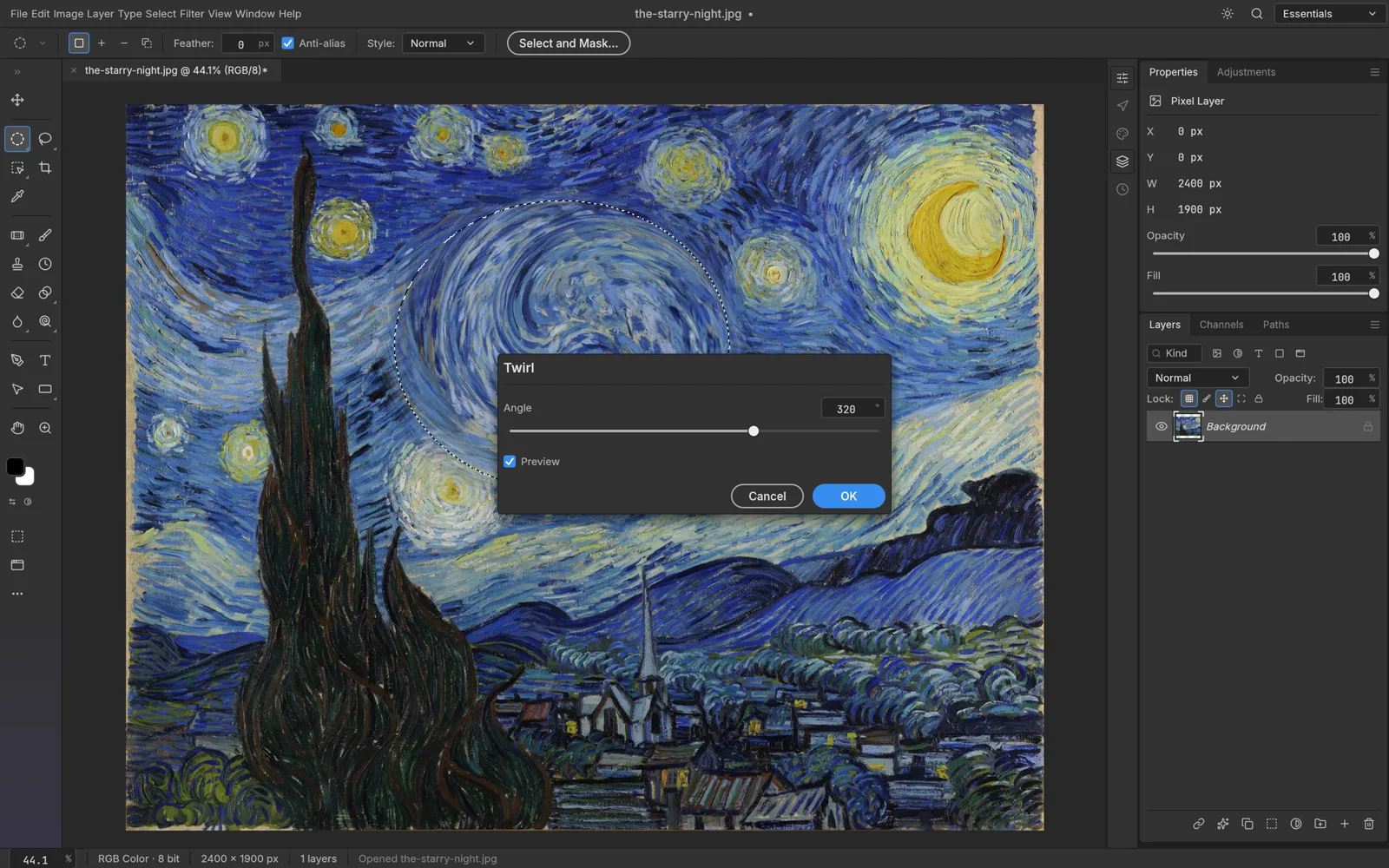
The official tagline is "the image editor you already know how to use", and the layout backs it up. The menu bar reads File, Edit, Image, Layer, Type, Select, Filter, View, Window and Help. The shortcuts we checked in the 0.7.0 menus match Photoshop's defaults: Ctrl+J for Layer via Copy, Ctrl+T for Free Transform, Ctrl+Alt+R for Select and Mask and Ctrl+G to group layers, with ⌘ in place of Ctrl on a Mac. If you have years of Photoshop habits, most of them carry straight over.
PSD and PSB files that come back intact
For many people this is the reason to care. PhotoCraft opens and saves layered PSD and large-format PSB files, with groups, masks, type, smart objects, adjustment layers and layer styles kept editable. The official page says 134 of 135 real-world test files round-trip byte for byte. The GitHub README is more careful: it says re-saving keeps the rendered look of 307 of the 309 files in the psd-tools test set, and that a re-saved file is not byte-identical to its source because PhotoCraft rewrites parts of it. Data it does not understand yet is carried over instead of dropped. These are the team's own tests, not ours, so keep the original whenever you edit someone else's PSD.
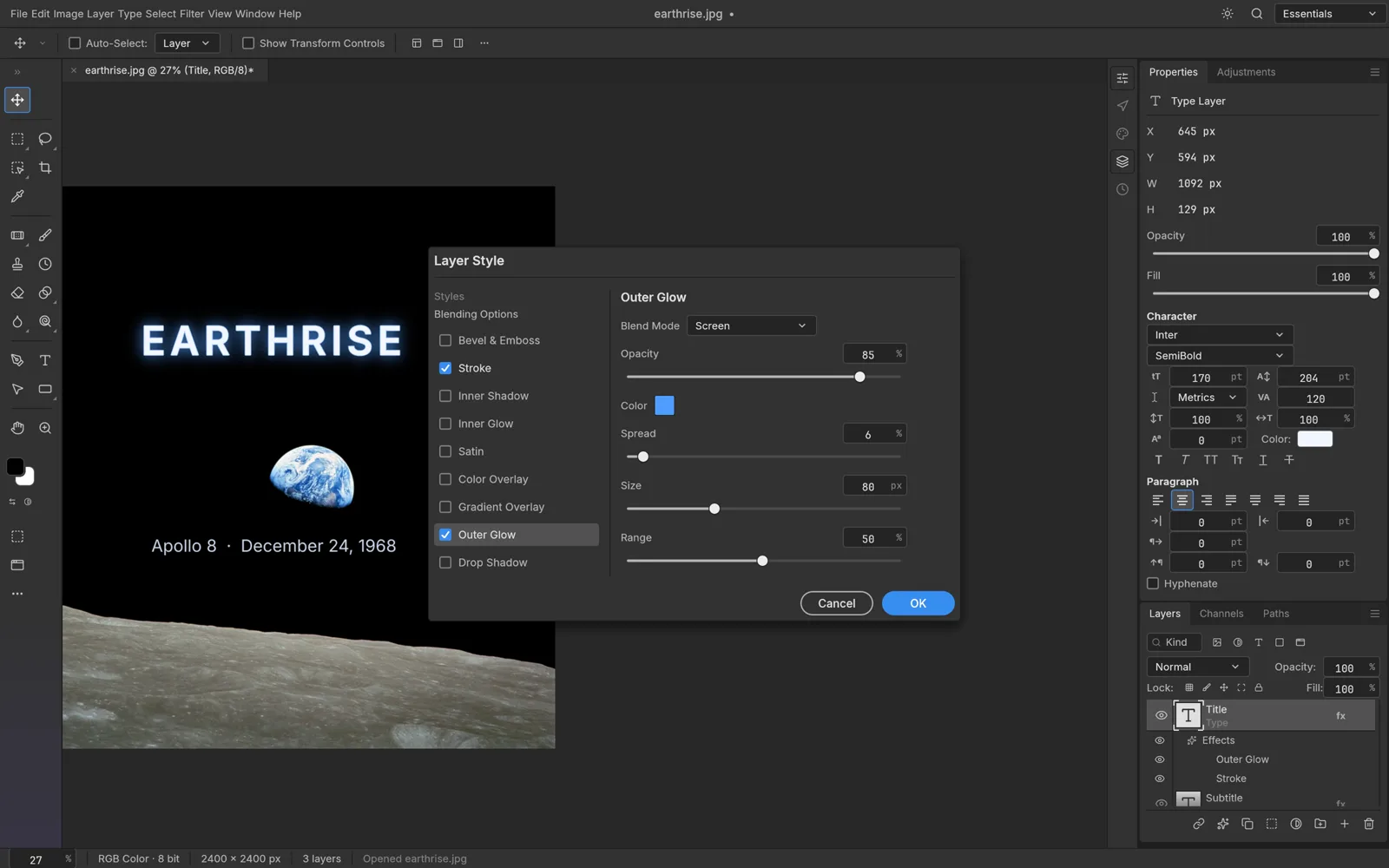 PhotoCraft, from its open-source repository (Apache-2.0).
Non-destructive by default
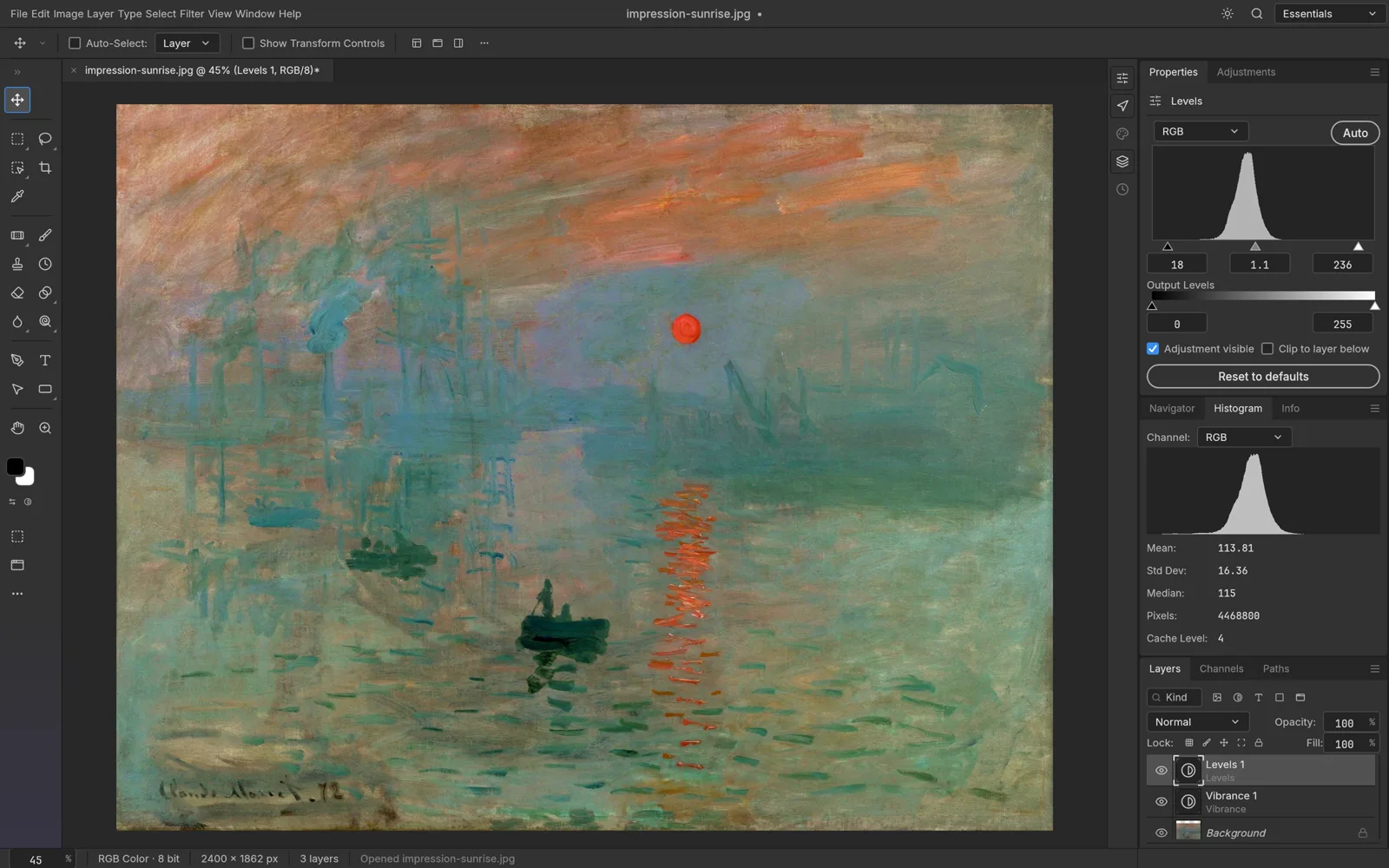
PhotoCraft includes 16 adjustment layers, among them Levels, Curves, Vibrance, Hue/Saturation, Black & White, Gradient Map, Selective Color and Color Lookup. Over 70 filters preview live on the canvas, smart objects keep their smart filters editable, and a full set of layer styles covers everything from Drop Shadow to Bevel & Emboss. Add pixel and vector masks, clipping masks and fill layers, and you can build an edit without touching the original pixels.
Selections that stay on your machine
Select › Subject, Select › Sky, Quick Selection and Object Selection make a first pass for you, and Select and Mask refines hair-fine edges. The team says these smart selection tools run locally, with no cloud service and no account. In the browser version, too, all image processing happens on your device.
Colour for print and HDR
Documents can be 8, 16 or 32 bits per channel in RGB, CMYK, Lab or Grayscale, with ICC colour management, Assign and Convert to Profile, soft proofing and a gamut warning. That depth is unusual for a free editor, and it matters if you prepare files for print.
What's missing or rough in the alpha
The most useful sentence about PhotoCraft comes from its own README: it is in early alpha and "not yet a Photoshop replacement for daily professional work". The team lists the biggest gaps as AI and generative features, 15 tools that are not built yet, depth in typography and pro workflows, and plug-in compatibility. It also notes that every Photoshop menu item is wired to a command, but that this measures wiring, not behaviour. As an early alpha, expect the following:
- No generative AI. There is nothing like Photoshop's Generative Fill. Classic retouching tools such as Spot Healing, Content-Aware Fill and a Remove tool are there.
- No Photoshop plug-ins. PhotoCraft has its own sandboxed plug-in system, but compatibility with Photoshop plug-ins is listed as a gap.
- Rough edges and fast change. The 0.7.0 changelog lists more than 200 changes, and the GitHub issue tracker held hundreds of open reports when we checked. Behaviour can shift between versions.
- Platform quirks. On Linux Wayland sessions, dropping a file onto the window does not open it yet.
Performance notes
We have not run our own benchmarks, so here is what can be checked. PhotoCraft draws its canvas on the GPU through Metal, Vulkan, DirectX 12 or WebGPU, without Electron or a web view, and the README describes copy-on-write tiles and multithreaded filters. The team's published figures include a radius-180 Gaussian blur on a 3.6-megapixel image in under a second, and the 0.7.0 notes report faster Select and Mask refinement and Quick Selection strokes. Treat these as the developers' numbers. In the browser, the whole app is one WebAssembly file of about 25 MB, so the first load takes a moment, and speed depends on your computer and the size of your document.
PhotoCraft desktop vs PhotoCraft online
ArtCraft does not run a hosted version of PhotoCraft. It publishes a web build for anyone to host, and that unmodified 0.7.0 build is what runs in our online editor. The engine and menus are the same; the practical differences are these:
| Desktop app | Online (web build) | |
|---|---|---|
| Install | Download from the official site or the ArtCraft Launcher | Nothing to install; open a browser tab |
| Graphics | Metal, Vulkan or DirectX 12 | WebGPU, with WebGL2 as a fallback |
| Saving | Saves to your folders | Save and Export download a file; no autosave |
| Fonts | Uses the fonts on your computer | Two built-in fonts, Inter and JetBrains Mono |
| Shortcuts | All of them | The browser keeps a few, such as Ctrl+T |
| Automation | Command-line tool and MCP server | Not available |
The online version is the quickest way to try PhotoCraft, or to make an edit on a computer where you cannot install software. For long sessions, large files or type-heavy design, install the desktop app. Our PhotoCraft Online page explains the browser version in more detail.
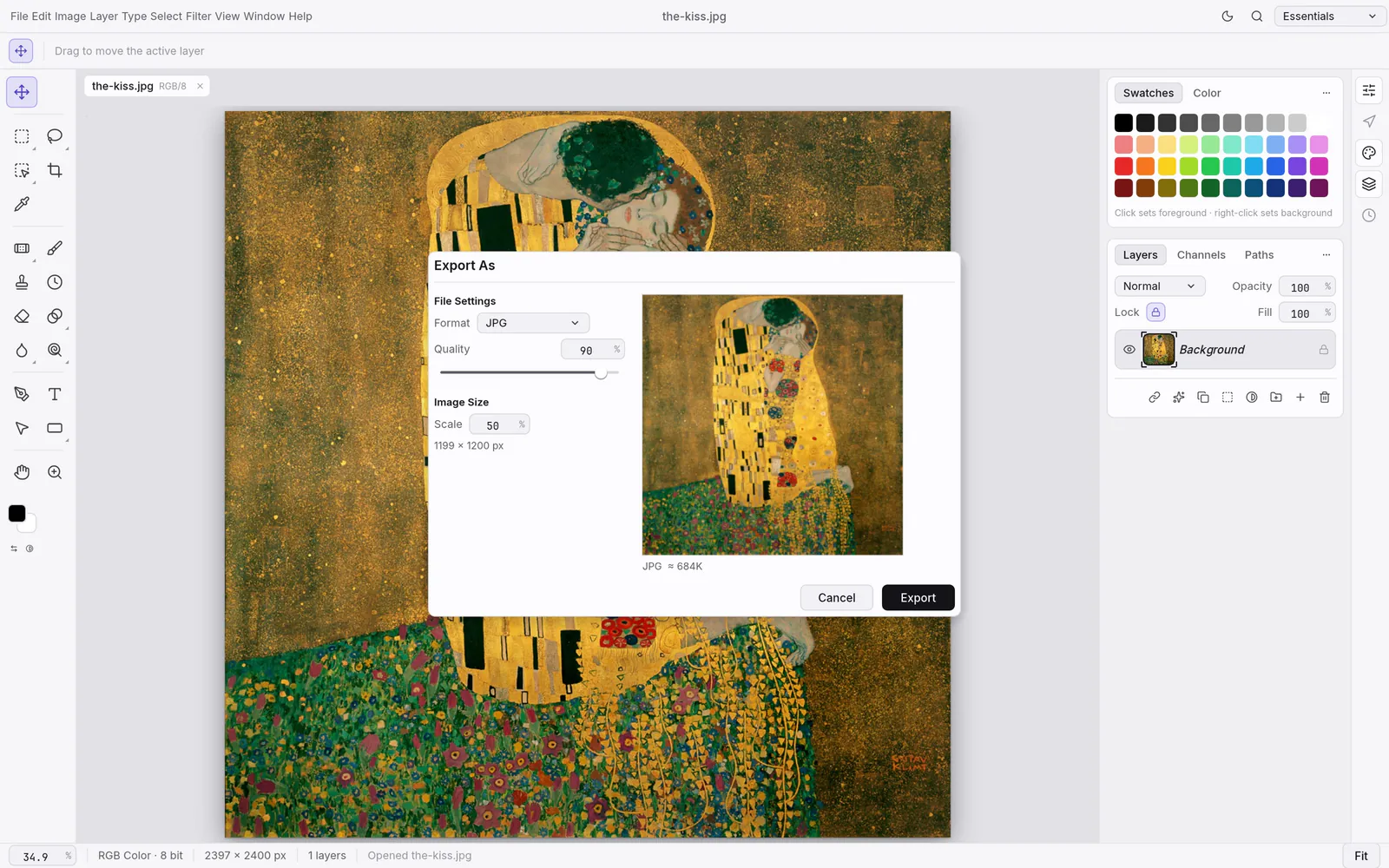 PhotoCraft, from its open-source repository (Apache-2.0).
How AI tools complement PhotoCraft
PhotoCraft is a hands-on editor: you make the selections, masks and adjustments yourself. AI PS Online adds AI tools around it for the jobs that are slow by hand. The AI photo editor changes a photo from a written instruction, and the AI object remover erases what you name, such as tourists or power lines, and rebuilds the background. A practical workflow is to let the AI do the heavy lifting, then open the result in PhotoCraft to fine-tune it with masks and adjustment layers, add type and export.
The AI tools need a free account and use credits, with the cost shown before each run and failed runs refunded. Photos you send to them are processed by our AI model provider, while files you edit in PhotoCraft stay on your device.
Who should use PhotoCraft today
A good fit if you:
- Know Photoshop and want a free editor for everyday layered edits, at home or on a second computer.
- Receive PSD files and need to open, adjust and re-save them.
- Use Linux or FreeBSD and want a Photoshop-style workflow there.
- Automate image edits and can use the command-line tool or MCP server.
Wait, or keep Photoshop alongside it, if you:
- Depend on generative AI, third-party plug-ins or advanced typography.
- Deliver client work on deadlines and cannot absorb alpha-stage surprises.
For a feature-by-feature comparison, read PhotoCraft vs Photoshop. If you are weighing free editors, see PhotoCraft vs GIMP, and for the rest of the family, our guide to ArtCraft apps.
Our PhotoCraft review verdict
PhotoCraft 0.7.0 is worth using today for everyday layered edits and PSD work, as long as you treat it as the early alpha it is. It already feels familiar to Photoshop users and handles PSD files with care, and its team is open about the gaps.
Pros
- Photoshop-style menus, panels and shortcuts
- Opens and saves layered PSD and PSB files
- Adjustment layers, smart filters and layer styles
- 8, 16 and 32-bit colour with CMYK, Lab and soft proofing
- Free, open source, and runs offline or in a browser
Cons
- Early alpha: expect bugs and changing behaviour
- No generative AI features
- Some tools and pro workflows are still missing
- No compatibility with Photoshop plug-ins yet
- Browser version: two fonts and no autosave
Ready to try it? Follow our step-by-step guide on how to use PhotoCraft, download the desktop app from the official PhotoCraft page, or browse the source on GitHub.
FAQ
Is PhotoCraft good?
For an early alpha, yes, and that is the main finding of this PhotoCraft review. It handles layers, masks, adjustment layers, type and real PSD files in a familiar layout, but its developers say it is not yet ready for daily professional work, so test it on your own files first.
Is PhotoCraft really free?
Yes. PhotoCraft is open source under the MIT or Apache-2.0 license, and every download on the official page is free, as is the online version on AI PS Online.
Is PhotoCraft made by Adobe?
No. PhotoCraft is made by the ArtCraft team and written from scratch in Rust. The project says it is independent and not affiliated with, sponsored by or endorsed by Adobe.
Can PhotoCraft open PSD files?
Yes. It opens and saves layered PSD and PSB files and keeps layers, masks, type, smart objects and adjustment layers editable. Complex files can still differ slightly after a save, so keep a copy of the original.
Does PhotoCraft have AI features?
Not generative ones. Its smart selection tools, such as Select › Subject, run locally, but there is no equivalent of Generative Fill. For AI edits, pair it with a separate AI tool.
Is PhotoCraft Online on AI PS Online the official app?
It is the official, unmodified open-source web build, version 0.7.0, hosted by AI PS Online. We are an independent host, not part of the ArtCraft team. Files open from and save to your own device, and there is no cloud autosave, so save before you close the tab.