
Search for "Photoshop online free" and you'll get a mix of very different things: vendor web apps, browser editors that borrow the Photoshop layout, simple filter apps and single-purpose AI tools. They all promise to edit your photos, but they are not interchangeable.
This guide sorts them out, shows what a full layer-based editor can actually do in a browser in 2026, explains where AI tools fit in, and is upfront about the limits. A note before we start: AI PS Online is an independent product. It is not Adobe Photoshop and is not affiliated with or endorsed by Adobe. Adobe and Photoshop are trademarks of Adobe Inc.
What "Photoshop online" can mean
When people search for Photoshop in a browser, they usually want one of four things:
- The vendor's own web app. Adobe offers a browser version of Photoshop to its customers. What it includes and what it costs depend on Adobe's current plans, so check Adobe's website for the details.
- Photoshop-style browser editors. Independent editors with a layers panel, a toolbar, familiar menus and shortcuts, running in a browser tab. The editor on AI PS Online belongs here.
- Simple online photo editors. Crop, filters, stickers and text. Great for a quick touch-up, but usually without real layers or masks.
- Single-purpose AI tools. A background remover, an upscaler, an object eraser. Each one does a single job that used to require a full editor.
Knowing which one you need saves a lot of trial and error. If you have to open a layered PSD from a designer, a filter app won't help. If you just need a transparent PNG, a full editor may be more than you need.
What a browser photo editor can do in 2026
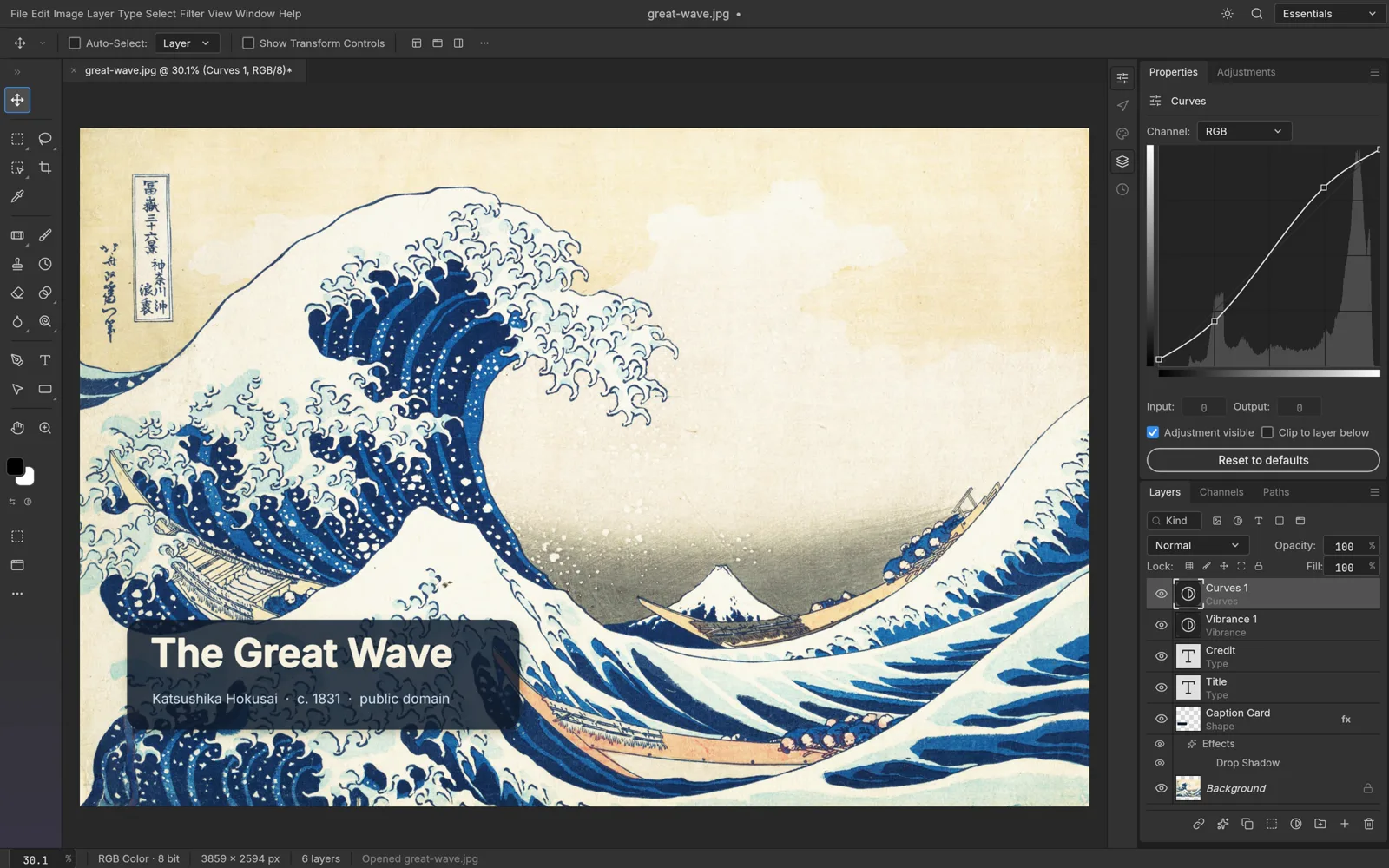
Browser graphics have come a long way. With WebGPU, and WebGL2 as a fallback, a web app can render large, layered documents smoothly on an ordinary laptop. The free online photo editor on AI PS Online is built on PhotoCraft, open-source software by the ArtCraft team used under the MIT / Apache-2.0 license, and it covers the jobs people most often open a desktop editor for:
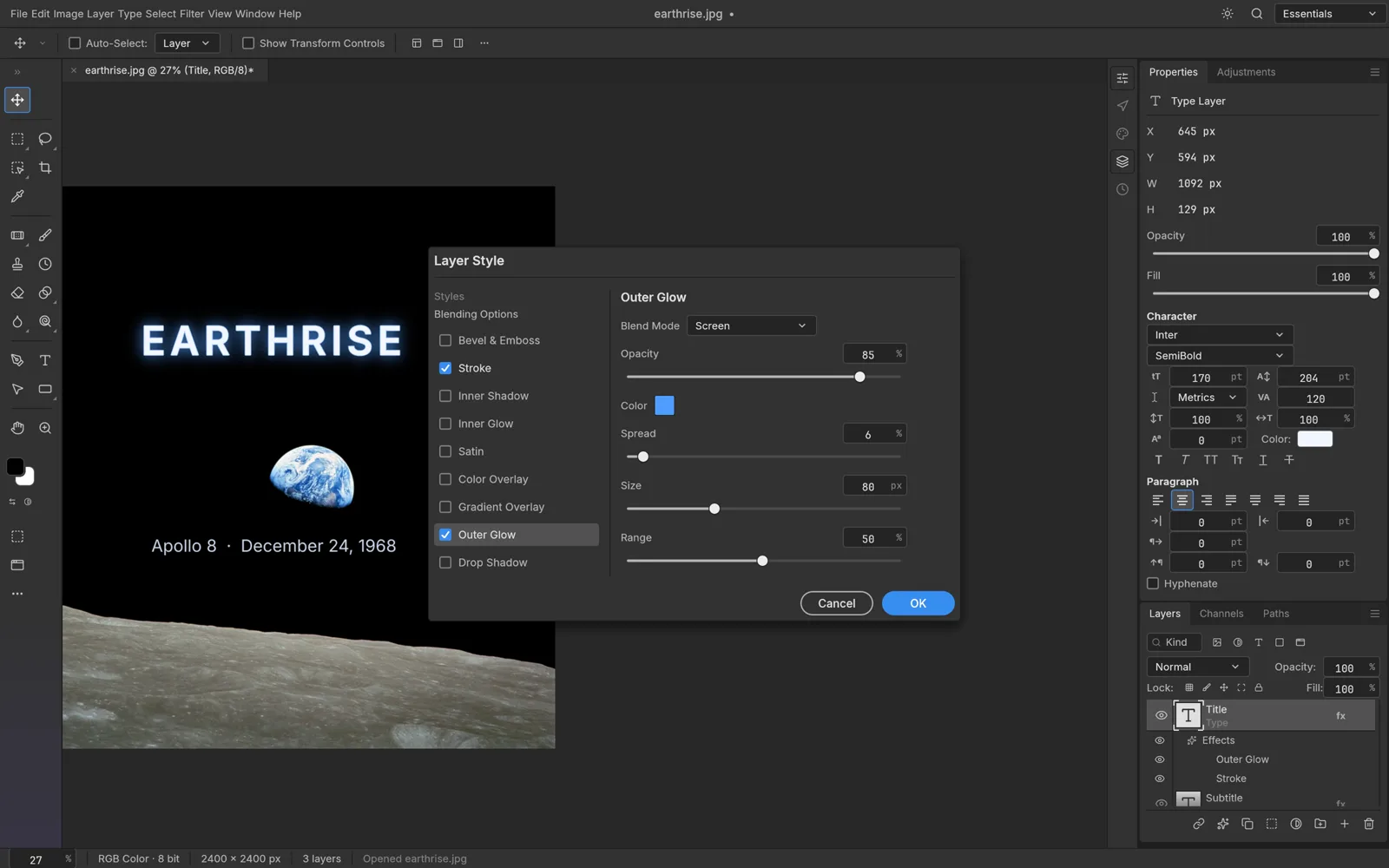
- Layers and groups, with blending modes, opacity and layer styles such as drop shadow, stroke and outer glow.
- Layer masks for hiding parts of a layer without deleting pixels.
- Adjustment layers, including Levels, Curves, Hue/Saturation, Color Balance and Black & White, all kept live and editable.
- Smart filters and editable type layers.
- Selection tools like Quick Selection, Magic Wand, Object Selection, Select Subject and Select and Mask for refining edges.
- Retouching tools such as the Spot Healing Brush, Healing Brush, Clone Stamp and Content-Aware Fill.
- Real PSD support: open, edit and save layered PSD and PSB files, plus PNG, JPEG, WebP, TIFF and HEIC.
The editor runs locally in your browser. The files you open there are processed on your device, not uploaded to a server. It is free, and there is nothing to install: it works in current versions of Chrome, Edge, Safari and Firefox on Windows, macOS, Linux and ChromeOS, as long as the browser supports WebGPU or WebGL2.
How to edit a photo or PSD in your browser
- Open the editor. Go to the online photo editor. If it doesn't load, update your browser or try another one with WebGPU or WebGL2 support.
- Check your PSD first (optional). Got a file from a designer? The free PSD viewer shows its dimensions, color mode, bit depth and layer count before you open it.
- Open your file. Use File › Open or drag the image or PSD into the editor window. Layers, masks and text arrive ready to edit.
- Work non-destructively. Use adjustment layers instead of direct adjustments, and masks instead of the eraser. You can then change your mind at any point.
- Add text and finishing touches. Type layers stay editable, and layer styles can be tweaked or switched off later.
- Save before you close the tab. Save as PSD to keep your layers, and export PNG, JPEG or WebP for the web. The editor doesn't autosave to the cloud.
Where AI tools fit in
Some edits are tedious by hand and quick with AI. On AI PS Online these are separate tools next to the editor, each built for one job:
- The AI background remover cuts out the subject and gives you a transparent PNG, with no selection work.
- The AI object remover erases people, wires or clutter you describe and fills the gap to match the surroundings.
- The AI photo editor changes a photo from a written instruction, such as a new background, different lighting or another season.
These tools run on AI models in the cloud, so each run uses credits. The cost is shown before you start, and failed runs are refunded automatically. Photos you upload are processed by our AI model provider, and the results are saved in My Creations. A good habit is to let AI do the heavy lifting and then open the result in the editor for the precise part: a mask, a crop, a line of text.
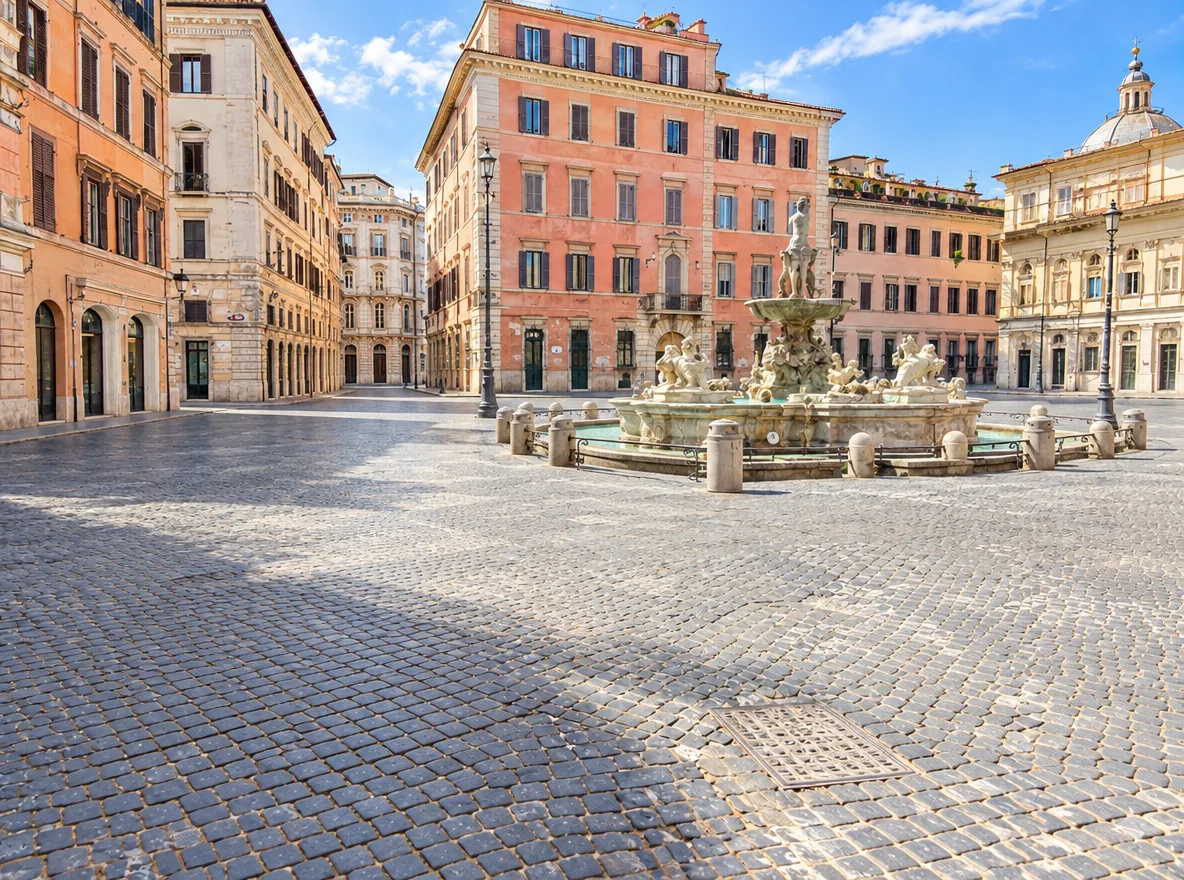
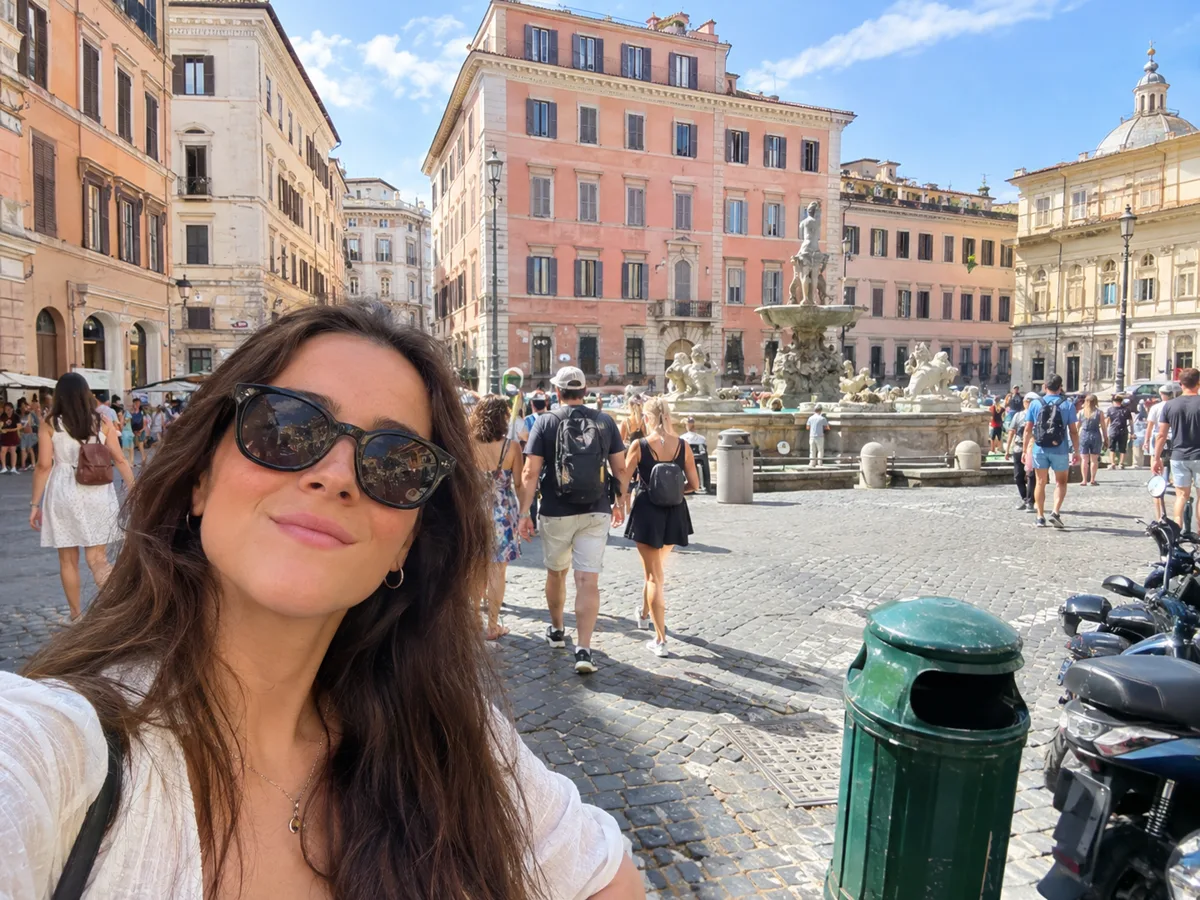 BeforeAfter
The honest limits
A browser editor is a real tool, but it is not a drop-in replacement for everything a desktop suite does. Before you rely on one, know these limits:
- It's not Adobe Photoshop. The layout and shortcuts will feel familiar, but it is a different program, and not every desktop feature is there.
- Complex PSDs may not round-trip perfectly. Files made in desktop software can contain features a browser editor doesn't support. Check the document after opening it and keep the original file.
- No cloud autosave or cloud library. Your work lives in the browser tab until you save it. Save a PSD or export before closing.
- It needs a capable browser. WebGPU or WebGL2 is required, so very old browsers and devices may not run it.
- Big files need memory. Very large documents depend on your device's memory, so a computer handles them better than a phone.
- AI isn't built into the editor. The AI tools are separate pages that use credits; they aren't unlimited.
Browser editor or desktop subscription editor?
A browser editor is a strong choice when you edit occasionally, need to open a PSD someone sent you, work on a computer where you can't install software, or want your files to stay on your device without creating an account.
A desktop subscription editor still makes sense if editing is your full-time job, or if your workflow depends on specific plugins, cloud libraries or production features of one vendor's suite. Many people end up using both: the browser editor for quick jobs and shared files, the desktop app for heavy production work.
FAQ
Is there a free version of Photoshop online?
Adobe's own Photoshop products follow Adobe's plans and terms, which change over time, so check Adobe's website for what is currently offered. If what you want is a free browser editor with Photoshop-style tools, layers, masks and PSD support, the editor on AI PS Online is free to use.
Can I open and save PSD files without Photoshop?
Yes. The online editor opens PSD and PSB files with layers, masks, adjustment layers and type still editable, and saves back to PSD. Very complex files can contain features a browser editor doesn't support, so keep a copy of the original.
Is my work saved automatically?
No. The editor doesn't autosave to the cloud. Save your document as a PSD or export an image before you close the tab.
Is AI PS Online affiliated with Adobe?
No. AI PS Online is an independent product and is not affiliated with or endorsed by Adobe. The editor is built on PhotoCraft, open-source software by the ArtCraft team. Read our PhotoCraft review or see how PhotoCraft compares with Photoshop.